AI Co-Pilot

Beefree App is now RGE Studio!
The email design suite you already know and love just leveled up. We’re working hard to update our help center, but you still may see some references to the old product name.
This article applies to all paid plans. The beta is enabled automatically for Professional and Business accounts. Enterprise customers need to contact their account manager to enable this feature.
Overview
Email teams are expected to move quickly without compromising quality, consistency, or control. AI Co-Pilot (Beta) is designed to help. It assists you during the email creation process.
AI Co-Pilot supports your workflow without replacing it. It reduces friction during content creation. You stay in control of your designs and decisions.
About the Beta
AI Co-Pilot is available as a Beta feature. It is still evolving. Your feedback helps shape its development.
The goal of the Beta program is to:
- Test real-world use cases.
- Learn how teams use AI-assisted creation.
- Improve the experience through user input.
What AI Co-Pilot Does
AI Co-Pilot assists with parts of the creation process. It can help generate ideas or refine content. It does not act independently or make decisions for you.
You always remain responsible for:
- Reviewing AI-generated content.
- Editing and refining outputs.
- Approving final designs before sending.
AI Co-Pilot provides suggestions and starting points. All outcomes stay under your control.
How to Access AI Co-Pilot
You can access AI Co-Pilot from two places: the Projects view or the Builder.
From the Projects Tab
Start a new email using AI Co-Pilot.
- In the Projects tab, click Create new.
- Choose AI Email Draft from the dropdown menu.
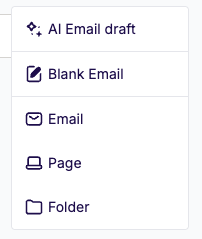
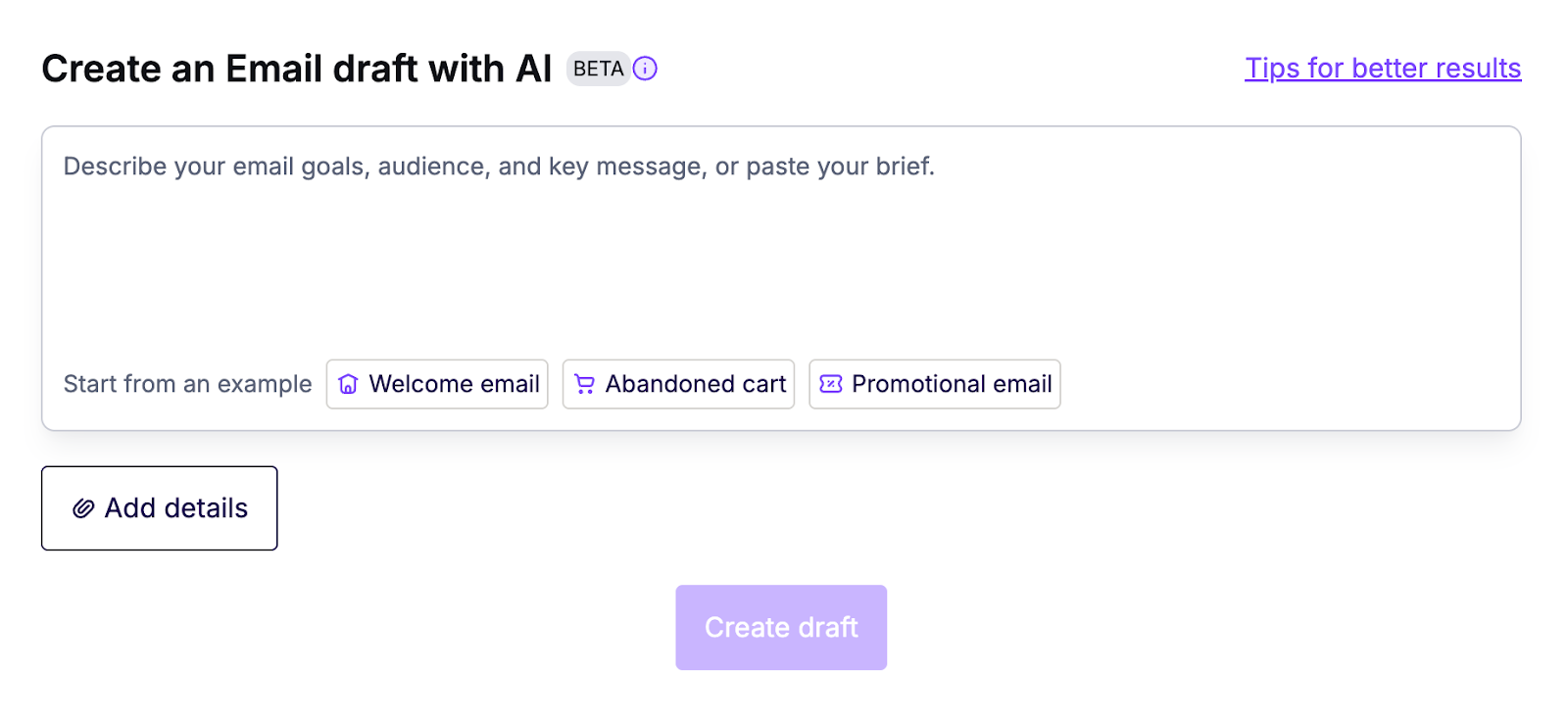
- Enter a custom or default prompt. Click Add details to upload a brief or apply workspace styles.
- Click Create draft.
Create a Copy
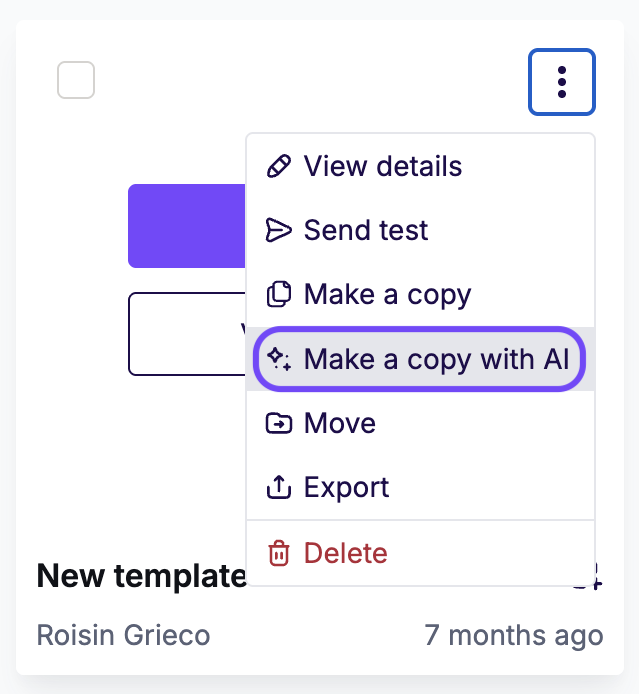
You can create a copy of an existing email with AI. From the Projects page, click the three-dots icon on the email preview. Select Make a copy with AI. This feature is only available for emails.
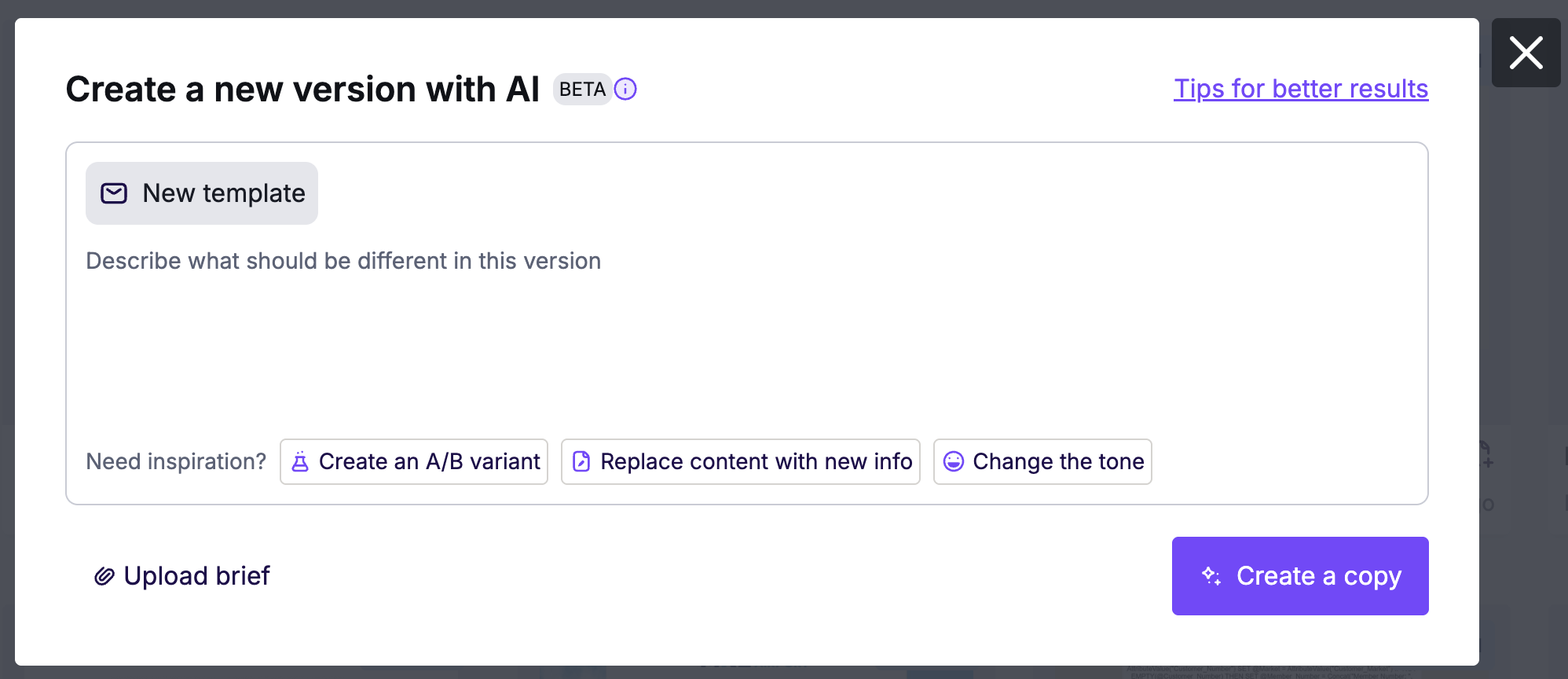
Edit your copy and add details to your prompt. When you're done, click Create a copy.
From the Builder
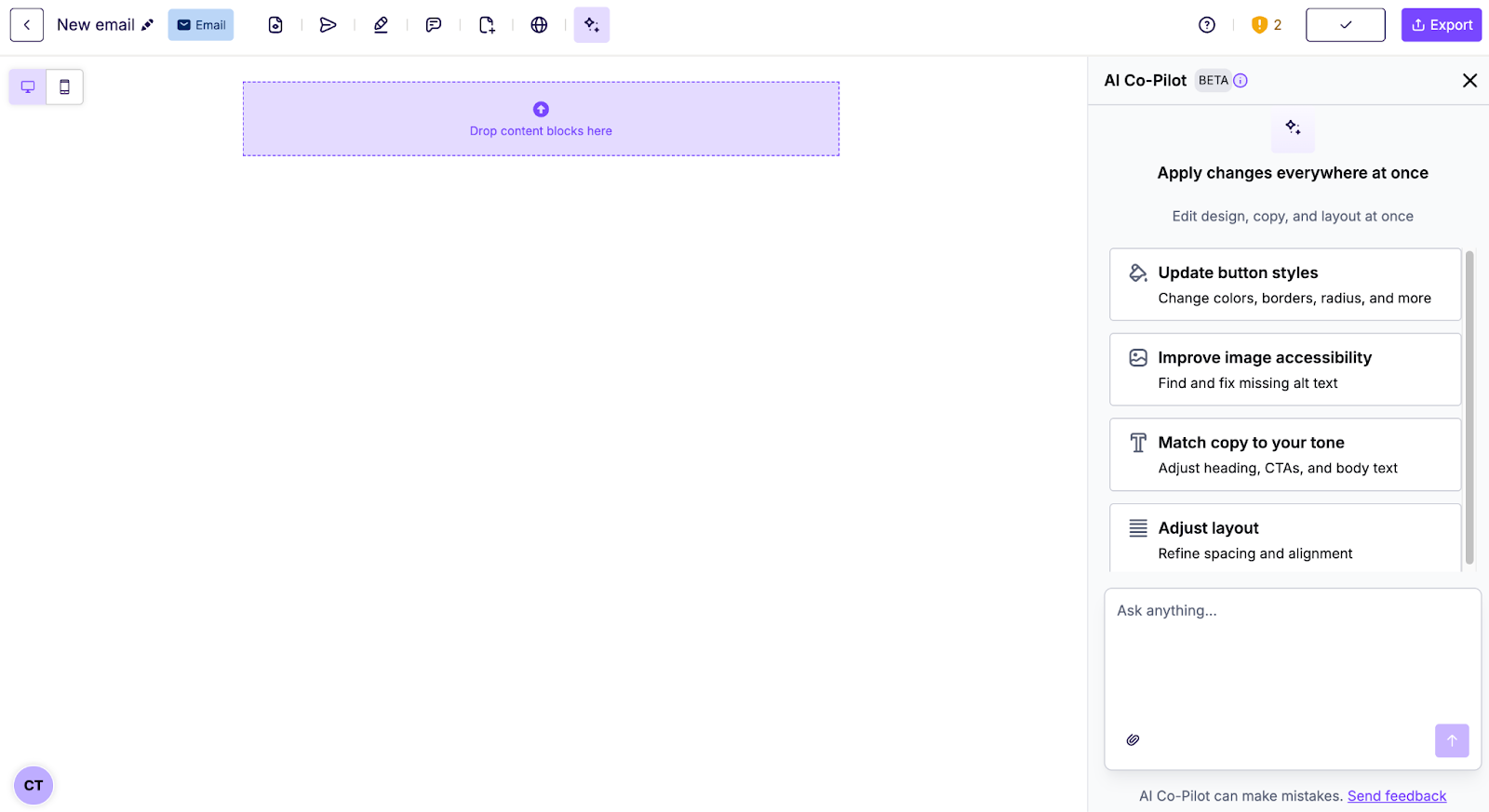
Use AI Co-Pilot to edit content and refine your emails.
- Open your email in the Builder.
- In the top bar, find the AI Co-Pilot icon.
- Click the icon to open AI Co-Pilot.
- Use default or custom prompts to generate or edit your email.
Best Practices for Prompting
Use clear, specific instructions for the best results. This helps AI Co-Pilot match your brand's tone, goals, and standards. For detailed advice, see Prompting the AI Co-Pilot in RGE Studio.
Beta Eligibility
AI Co-Pilot Beta is automatically enabled for:
- Professional plans
- Business plans
- Enterprise plans
It is also available if you are on a Professional or Business plan trial.
If you have any questions, feel free to contact us.
Comments
0 comments
Please sign in to leave a comment.