Using custom domains

Beefree App is now RGE Studio!
The email design suite you already know and love just leveled up. We’re working hard to update our help center, but you still may see some references to the old product name.
This article applies to the Page builder in the Business and Enterprise plans. Note that the customizable domain is only available for published pages in RGE Studio. Your preview URLs will continue to use your RGE Studio subdomain.
This documentation is an extension of Using subdomains in RGE Studio. The following is applicable for owners and admins only.
To start, you can find your domain settings in the General Settings of your RGE Studio account. Note that domain settings are specific to each workspace that you have.
If you want to simply use a RGE Studio subdomain, you can follow our guide for Professional subscribers. It's the same workflow.
Setting up your Custom Domain
Start by locating the "Use a custom domain" heading in the Domain section of your General settings. Click the Add a custom domain button.
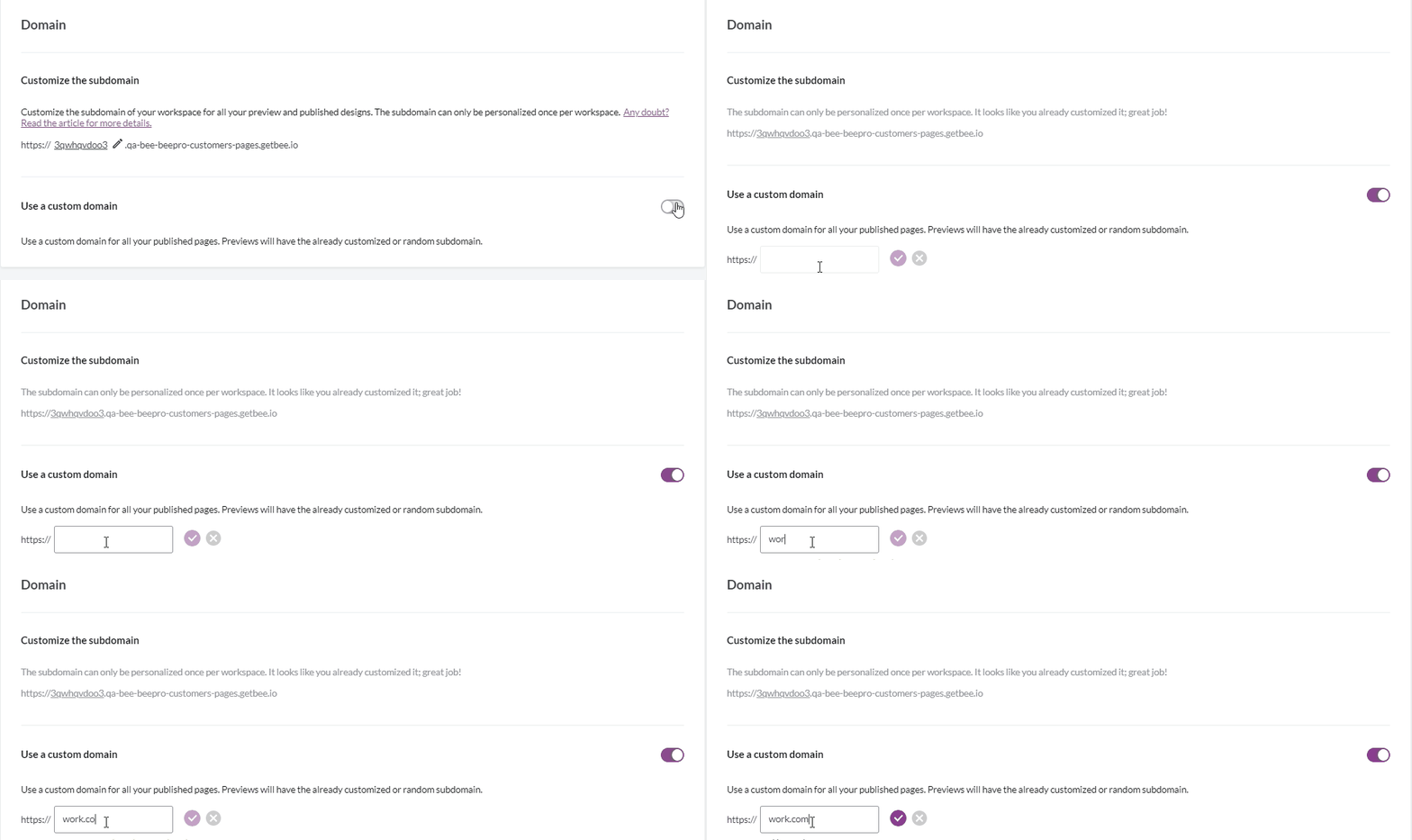
In this textbox, you can insert the custom domain that you want to use. You have two options for setting up a custom domain. There may be some prep work involved depending on which option you want to use:
- Use a custom subdomain (e.g. example.acme.com)
- Use your custom domain (e.g. acme.com)
Take some time to review the workflows for each option as described below. It should help you decide which type of custom domain is best for your use case.
Using a custom domain with a subdomain
We personally recommend using a subdomain with your custom domain. It is generally considered to be a best practice.
The subdomain name (not including your root domain) can be composed of 20 characters maximum. Capital letters and dashes are allowed. However, you cannot use dots or other special characters.
For this option, simply type the custom subdomain into the text field.
Press the checkmark button to confirm that this is the domain you want. We'll do an automated check to make sure that there aren't any issues. A message populates below the checkbox letting you know if this domain is acceptable.
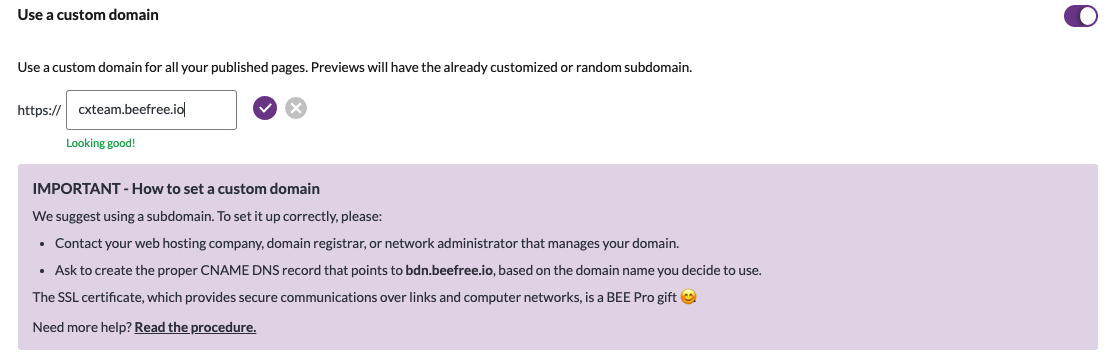
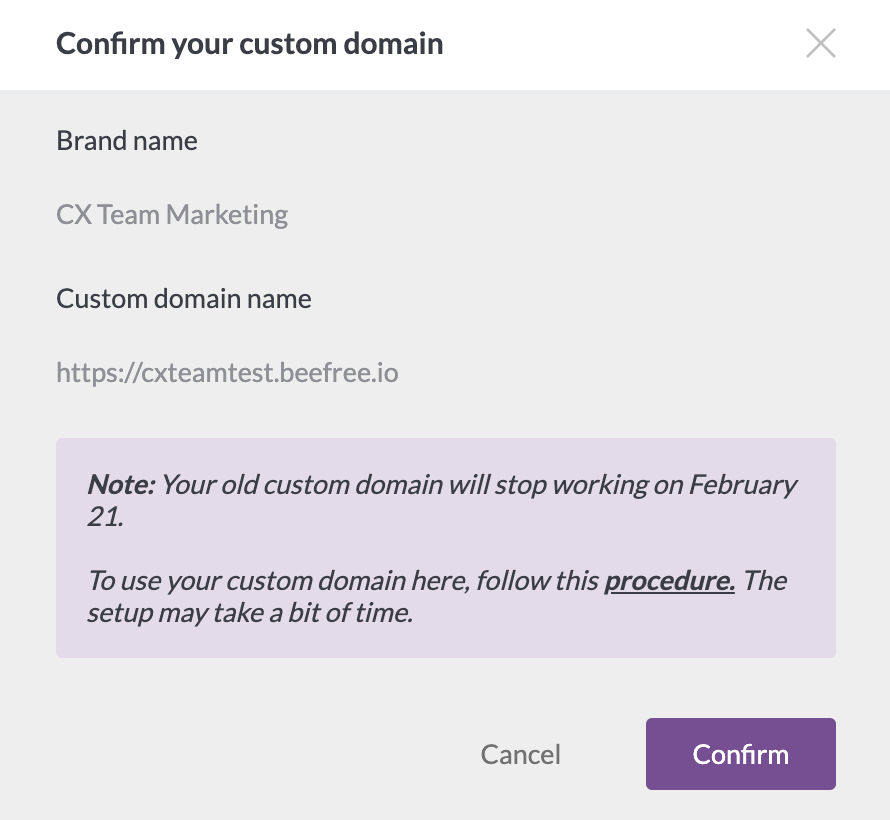
A modal will open asking you to confirm the domain you inserted. This modal also warns you that it may take some time for this domain to become active. You'll need to take some external steps in order to proceed.
After you've provided your custom domain to RGE Studio, you need to:
- contact either the web hosting company, domain registrar, or network administrator that manages your primary domain.
- ask them to create a proper CNAME DNS record, based on the domain you choose to use, that points to bdn.beefree.io.
Using a custom domain
It's possible to use a custom domain (or root domain) with RGE Studio as well, as long as it meets the following criteria:
- Your root domain points to a CNAME
- Your root domain is not already in use elsewhere
As mentioned above, it's necessary for a root domain to point to a CNAME to use it in RGE Studio. You cannot use a root domain that points to an A record or IP address. Here are the most popular providers that allow you to do this:
- DNSimple
- DNS Made Easy
- easyDNS
- PointDNS
- Cloudflare
- Namecheap
- DreamHost
Next, we recommend reaching out to your web hosting company, domain registrar, or network administrator in order to verify whether or not your domain is already in use. A single domain cannot manage two different places. If it's already in use, you'll need to use a subdomain for RGE Studio.
Once you've confirmed that your custom domain can work with RGE Studio, you need to ask your web hosting company, domain registrar, or network administrator to create a proper CNAME DNS record based on the domain you chose. The record must point to bdn.beefree.io.
CAA record on your domain
If you have a CAA record on your domain, ensure that it allows letsencrypt.org. This is an important step in ensuring that your custom domain does not remain in a pending status.
Final step
Finally, type the custom domain into the text field found in RGE Studio.
Press the checkmark button to confirm that this is the domain you want. We'll do an automated check to make sure that there aren't any issues. A message populates below the checkbox letting you know if this domain is acceptable.
A modal opens asking you to confirm the domain you inserted. This modal also warns you that it may take some time for this domain to become active.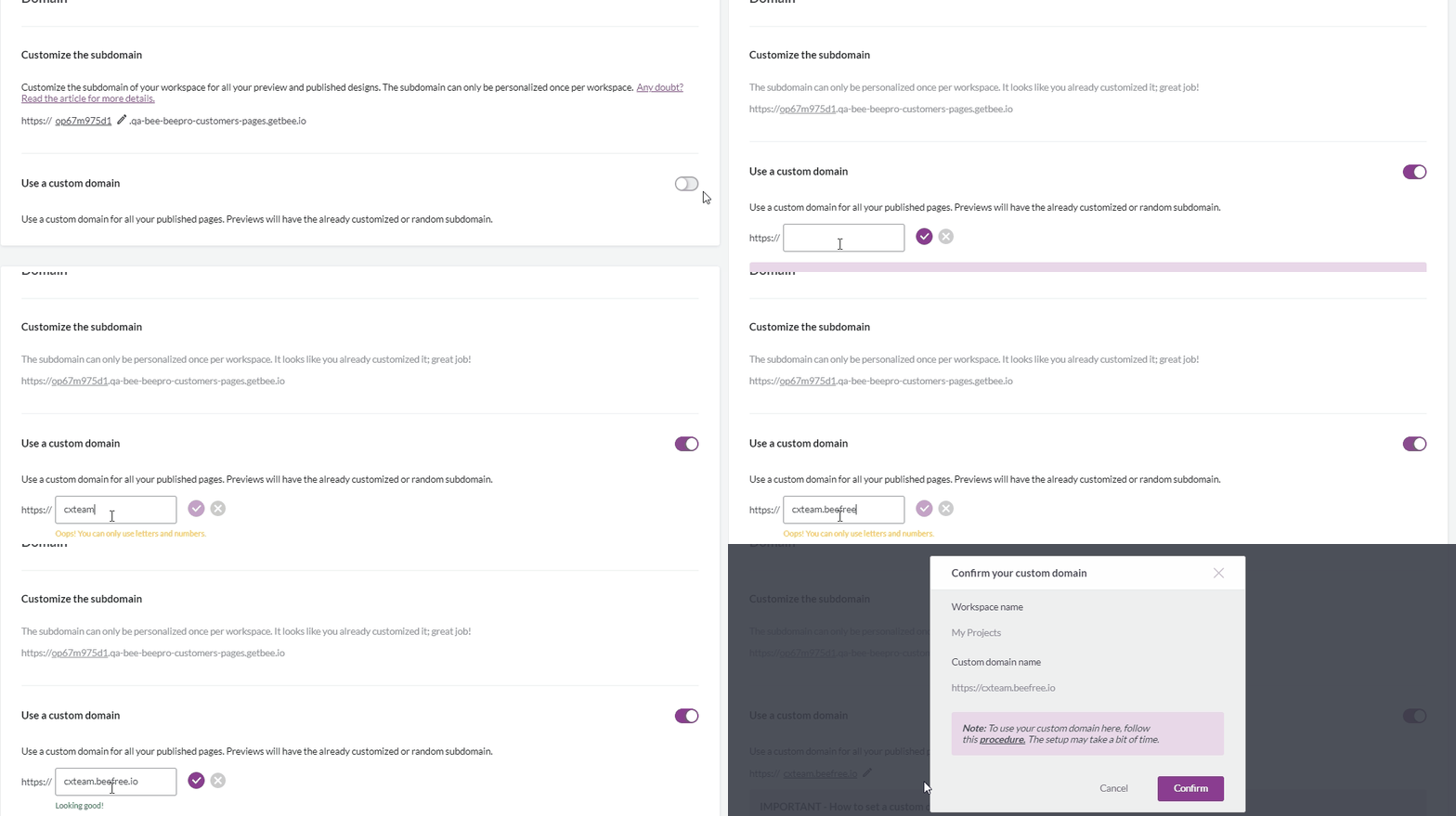
Verification
Your custom domain will be in a pending status while we await confirmation records. This external step prevents us from being able to provide a timeline on how long this will take. The verification timeline depends on how and when your provider communicates the change to the internet.
Once confirmed, we will send an in-app notification for your convenience.
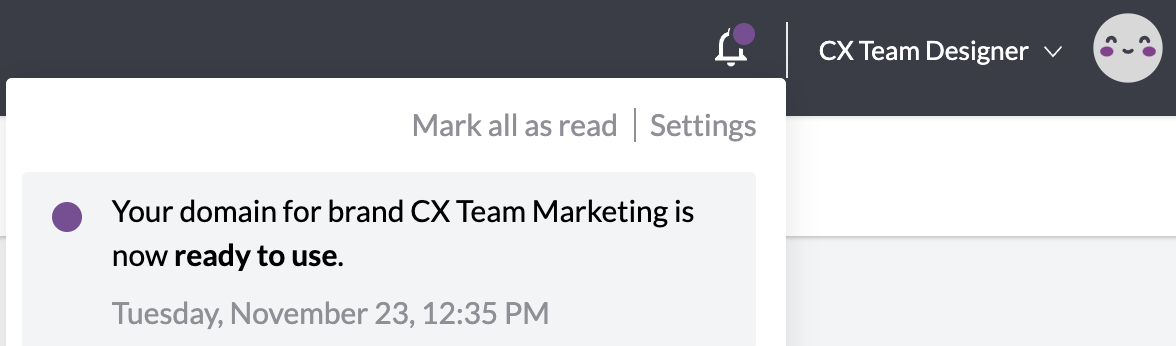
You'll also see the domain status change from "pending" to "ready" in your settings.
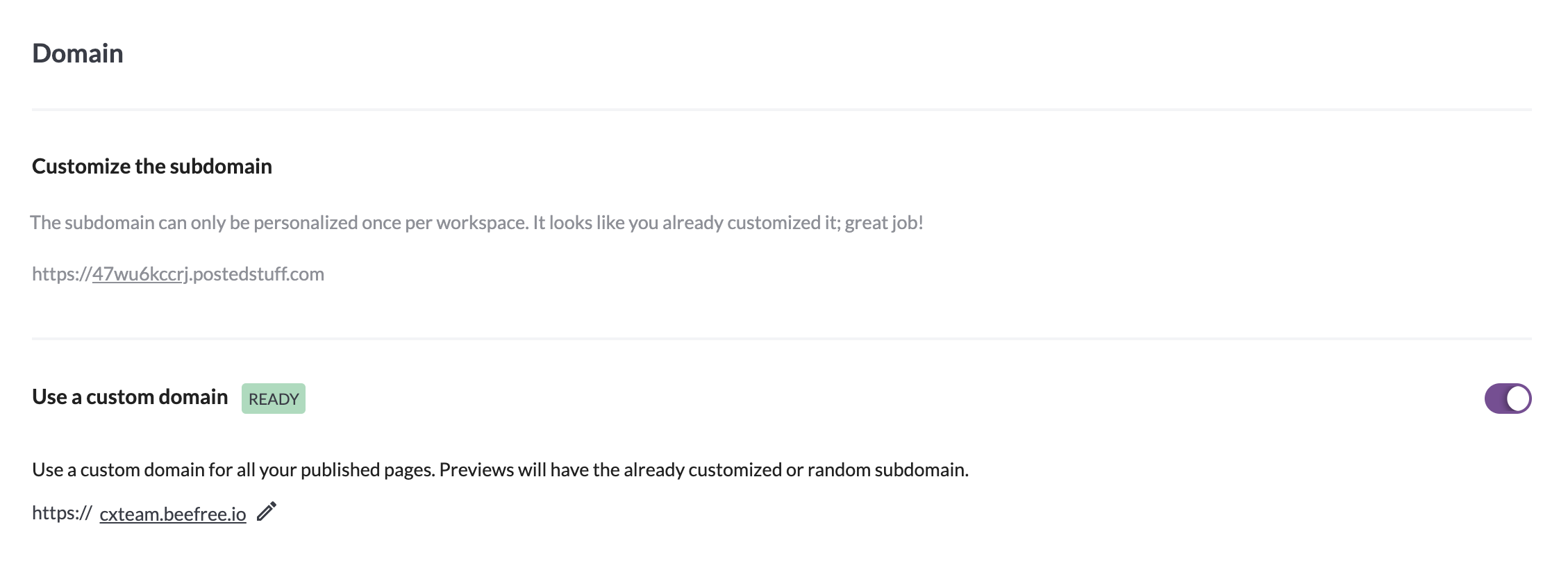
As soon as your custom domain is confirmed, we will generate an SSL certificate for your domain. The domain will start working immediately for your published pages. We are currently providing free SSL certificates for subscribers using this option.
If, after 15 days, your domain still has yet to be confirmed, we will delete the domain request. You can always try again. We will also send a notification if this happens.
Were you using a RGE Studio subdomain prior to setting up your own? Keep in mind those URLs remain valid for 30 days following your domain activation.
Changing or disabling your custom domain
Unlike sub-domains, custom domains can be changed and disabled. Note that the domain always remains available until the associated SSL certificate expires.
If you want to turn off your custom domain, you can click the red button Remove custom domain.
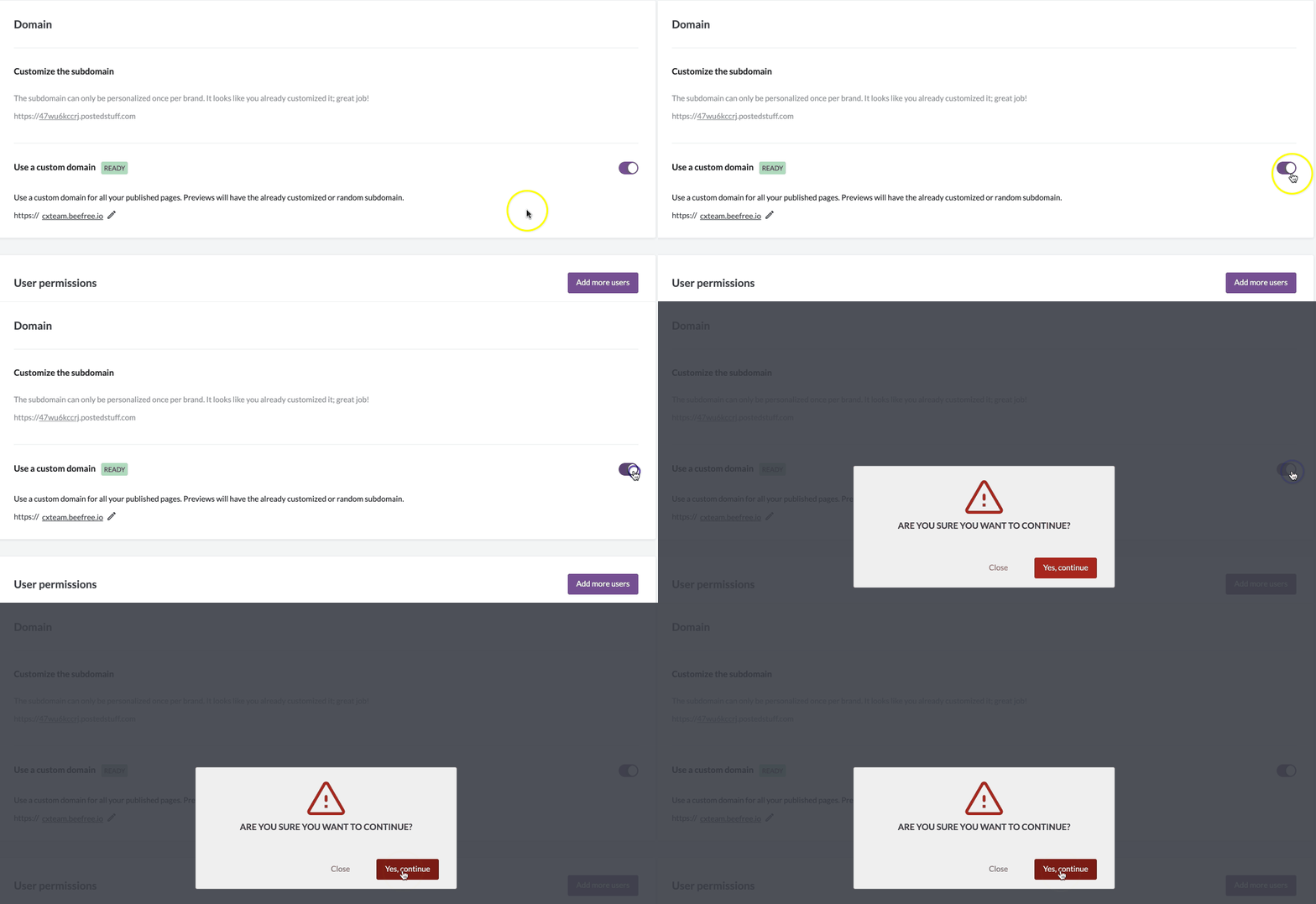
If you simply want to change the custom domain, click the pencil icon next to your custom domain details. We'll let you know when the current domain expires before you confirm any changes. Otherwise, you'll follow the same procedure described above.
Domain Names by Plan
Based on your RGE Studio plan type, you will have one of the following domain names by default:
| Plan Type | Domains for Published Pages | Domains for Preview Links |
| Professional | beefreecontent.com | preview-beefreecontent.com |
| Business | beefree.space | preview-beefree.space |
| Enterprise | contentdesigns.io | preview-contentdesigns.io |
Note: When you change from one RGE Studio plan type to another, your URLs from your previous plan type will still work.
Frequently Asked Questions
Where is my custom domain used?
Custom domains are only used for published pages. Preview URLs for emails and unpublished pages will use your subdomain instead. You can also create a custom subdomain in addition to your custom domain.
Can I further customize the links for my published landing pages?
Yes! Check our documentation on Page Slug Customization for more information.
If you have any questions, feel free to contact us.
Comments
0 comments
Please sign in to leave a comment.