Styles, Advanced Styles, and Brand Kits

Beefree App is now RGE Studio!
The email design suite you already know and love just leveled up. We’re working hard to update our help center, but you still may see some references to the old product name.
This article applies to all plans. However, some features may be limited depending on your plan.
Overview
Styles, Advanced Styles, and Brand Kit all shape how your designs look. Each one works at a greater depth or scope. Think of them as three levels of the same job: setting how your emails and pages look. Together, they take you from a single workspace out to many.
Here's the quick mental model:
- Styles sets the look of one workspace and the designs created in it.
- Advanced Styles shapes that same look with far more precision, still in one workspace.
- Brand Kit keeps rows and styles consistent across many workspaces, with automatic sync.
Styles and Advanced Styles live inside a workspace. Brand Kit sits above your workspaces and keeps them aligned.
At a glance
| Styles | Advanced Styles | Brand Kit | |
| What it is | The Styles tab in your workspace Settings | A more granular styling area opened from the Styles tab | An account-level section that collects rows and styles and links them to workspaces |
| Scope | One workspace | One workspace | Across multiple workspaces |
| Who can manage it | Anyone who can edit workspace styles | Anyone who can edit workspace styles | Owners and Admins |
| What you can set | Color palette (up to 16 colors), headings and text, buttons | Typography for each level (H1, H2, H3, and body) and components (buttons, lists, dividers, social links, forms, and menus), down to every granular option | Saved rows and styles, linked to workspaces. Color editing permissions for all linked workspaces. |
| Key behavior | Sets the workspace defaults, so new designs start on-brand | Options you set here become the workspace standard. From then on, you manage them only in Advanced Styles. | Linked workspaces inherit the Brand Kit's styles. These styles take precedence over each workspace's own. Edits sync automatically to every linked workspace. |
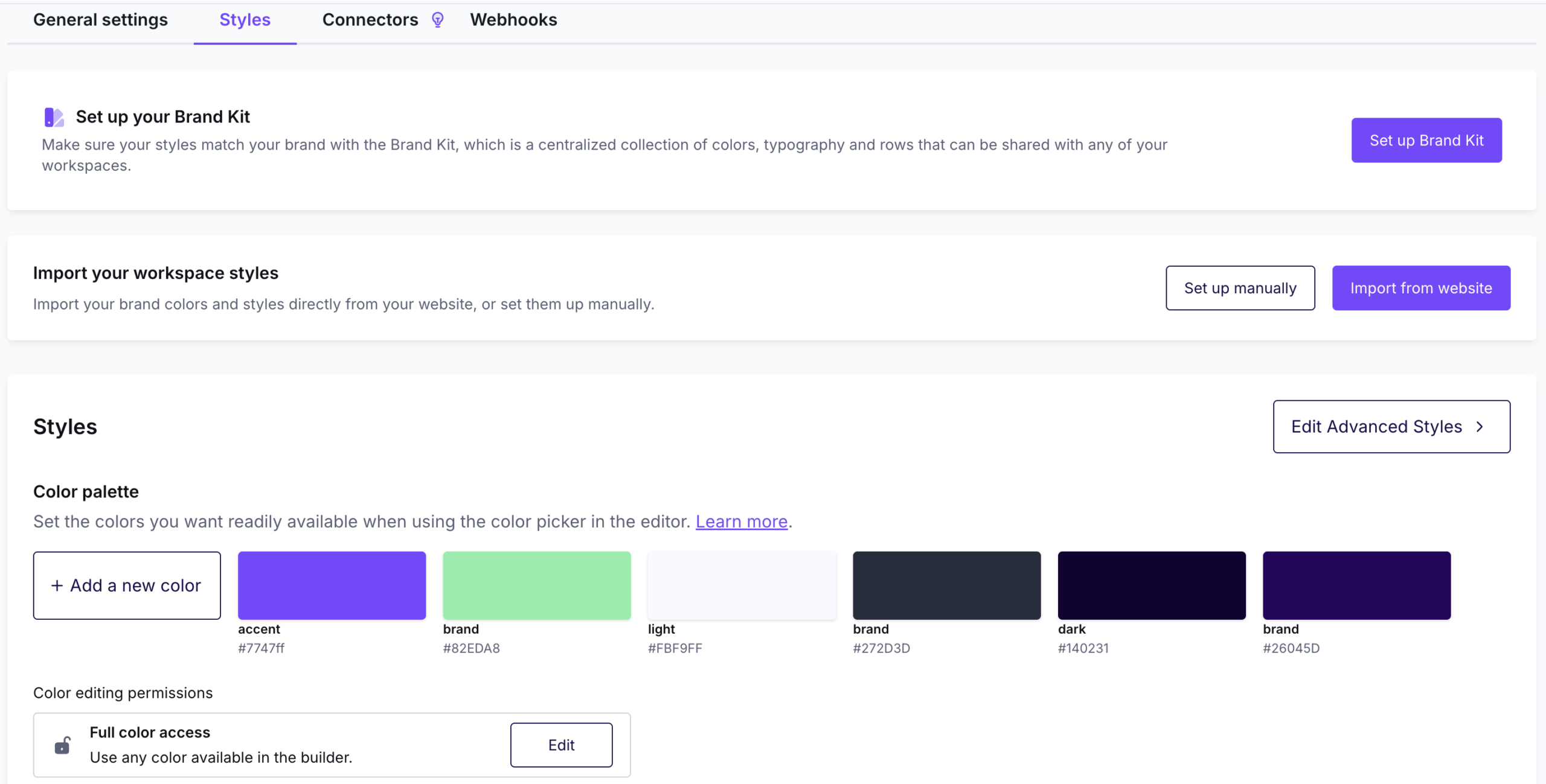
This is what the Styles page looks like in your RGE Studio account:
A closer look
Styles
Set your brand look once per workspace. Every email and page then starts on-brand, so you skip styling each one by hand.
For setup steps, see Custom Workspace Styles and Designing with Workspace Styles.
Advanced Styles
Advanced Styles is for teams with strict, detailed brand systems. You can style every heading level and component independently. The workspace then applies your exact brand system to every email.
Form styling lives only in Advanced Styles. You add the form content block in the Pages builder.
Open it with the Edit Advanced Styles button in the upper right of your Styles settings. For the full walkthrough, see Advanced Styles for Workspace Styles.
Brand Kit
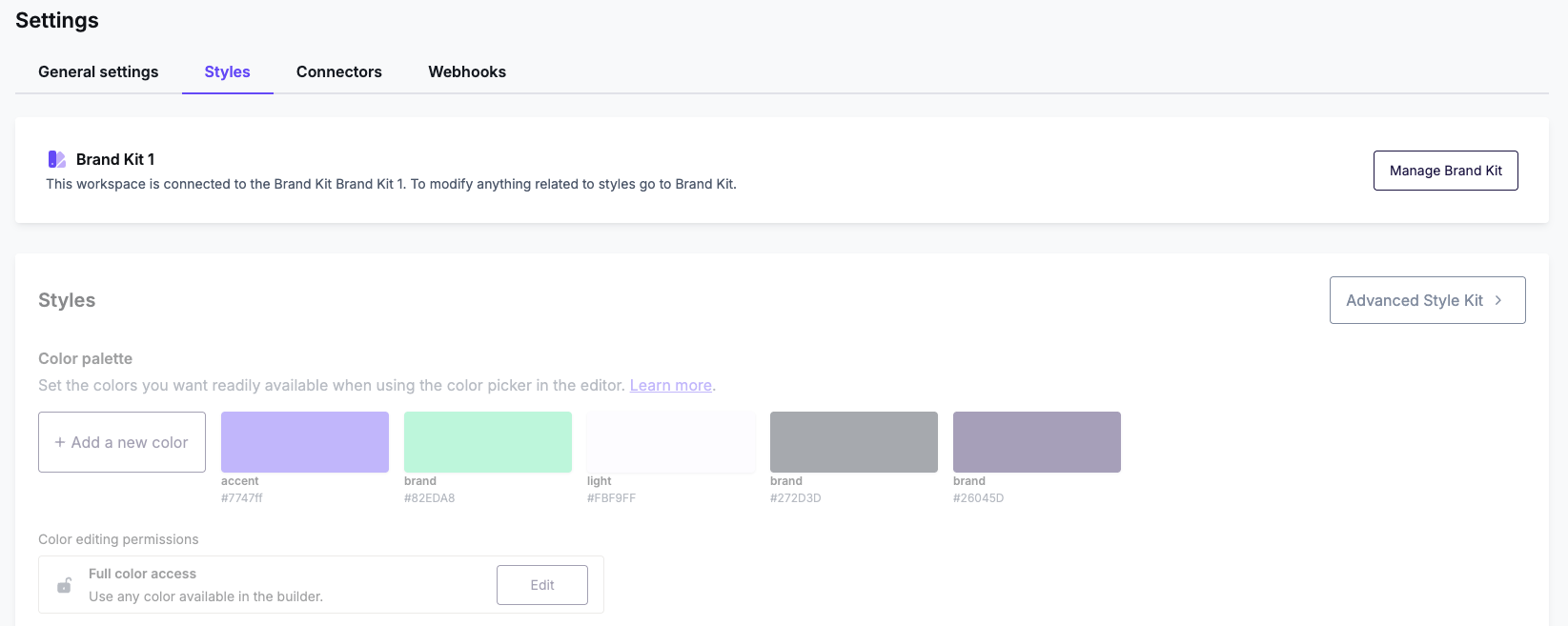
Brand Kit lets you manage rows and styles centrally. When you edit them in the Brand Kit, the changes sync to every linked workspace automatically. Owners and Admins manage it from the Brand Kits section at the account level. Each workspace links to one Brand Kit.
For setup steps, see Brand Kits.
How they work together
A few distinctions worth keeping straight:
- Advanced Styles and Brand Kit solve different problems. Advanced Styles is about how detailed your styling is within one workspace. Brand Kit is about keeping rows and styles consistent across many workspaces. You can use Advanced Styles on its own. Brand Kit keeps styles aligned across workspaces, however granular each one is.
- On a linked workspace, the Brand Kit is the source of truth for styles. Its styles take precedence over that workspace's own settings. This keeps every team consistent.
- Brand Kit is built for accounts with several workspaces. It keeps them in sync, so it adds the most value once you manage two or more.
Which one do you need?
| What you're trying to do | Use |
| "I just need our colors and fonts set so emails start on-brand" | Styles |
| "Our brand rules are strict: different styling per heading level, exact button specs, detailed styling for components" | Advanced Styles |
| "We run several workspaces and keep re-pasting shared content like footers and headers" | Brand Kit |
| "A single change means updating every workspace by hand" | Brand Kit |
Related articles
- Custom Workspace Styles
- Designing with Workspace Styles
- Advanced Styles for Workspace Styles
- Brand Kits
If you have any questions, feel free to contact us.
Comments
0 comments
Please sign in to leave a comment.