Using subdomains in RGE Studio

Beefree App is now RGE Studio!
The email design suite you already know and love just leveled up. We’re working hard to update our help center, but you still may see some references to the old product name.
This article applies to all plans.
This article applies to all plans.
You need to be the Owner or an Admin of your RGE Studio account to use these options. Your available options may vary depending on your plan.
Overview
RGE Studio protects your assets by giving every account a unique subdomain. This keeps your account separate from other users on RGE Studio.
Your subdomain is normally a random string of characters. You can customize it to fit your brand.
Your subdomain covers the hosted emails and pages you design in RGE Studio. Assets in your file manager use a separate address. To control that address yourself, use externally hosted images or files.
What is a subdomain?
A good example is the subdomain for this help center: support.reallygoodemails.com. Here, "support" is the subdomain, and "reallygoodemails.com" is the primary domain. The domain used for your hosted designs is different:
| Plan Type | Domains for Published Pages | Domains for Preview Links |
| Professional | beefreecontent.com | preview-beefreecontent.com |
| Business | beefree.space | preview-beefree.space |
| Enterprise | contentdesigns.io | preview-contentdesigns.io |
RGE Studio creates your subdomain by adding characters in front of your domain. This subdomain is unique to your RGE Studio account.
You have more URL customization options for published pages. See Page Slug Customization to learn more.
To learn more about subdomains, see GoDaddy's documentation.
Customizing your subdomain
RGE Studio assigns a random subdomain when you create your account. You can customize it at any time.
Keep this in mind before you start:
- You can change and customize your subdomain an unlimited number of times.
- Your custom subdomain can include up to 20 characters. You can use capital letters and dashes. Dots and other symbols aren't supported.
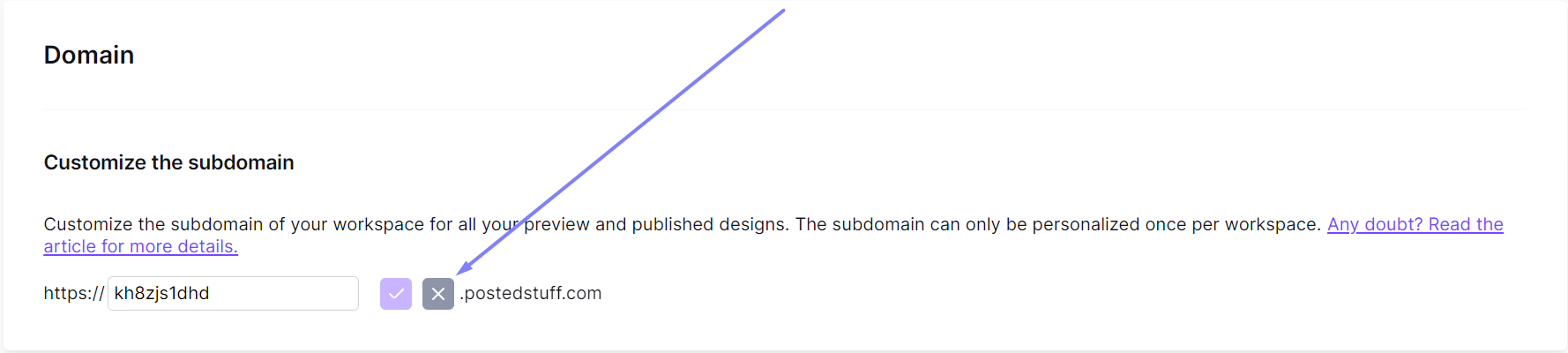
To customize your subdomain, go to your workspace settings. In the General settings tab, scroll down to the Domain section. Click the pencil icon next to your subdomain to make it editable.

Type your new subdomain. Press the purple checkmark button next to the textbox to check its availability. A message appears below the textbox to confirm if the subdomain is available. To cancel, click the gray X icon instead.
When you click the checkmark, a confirmation window opens. It shows a preview of your full subdomain. Press Confirm to save your new subdomain.
Once you save your subdomain, it's ready to use right away. The pencil icon disappears because you can only customize your subdomain once.
Business and Enterprise plans include this same customization option. These plans also offer more advanced options. See Using custom domains to learn more.
If you have any questions, feel free to contact us.
Comments
1 comment
This is an exciting development, Willow!
Please sign in to leave a comment.