Using Preheaders and UTMs

Beefree App is now RGE Studio!
The email design suite you already know and love just leveled up. We’re working hard to update our help center, but you still may see some references to the old product name.
This article applies to the Email builder in all plans.
Overview
The options for both UTMs and preheaders are available on the email details page. An infobox is located underneath the existing email details.
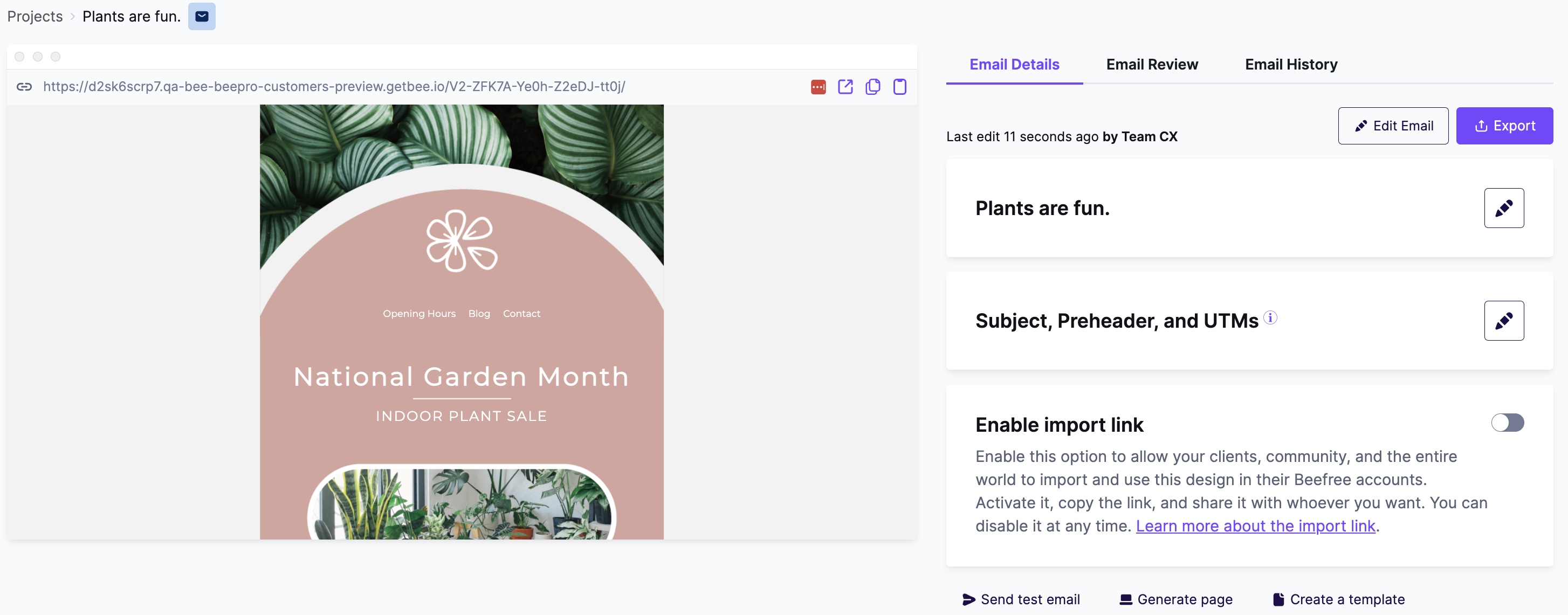
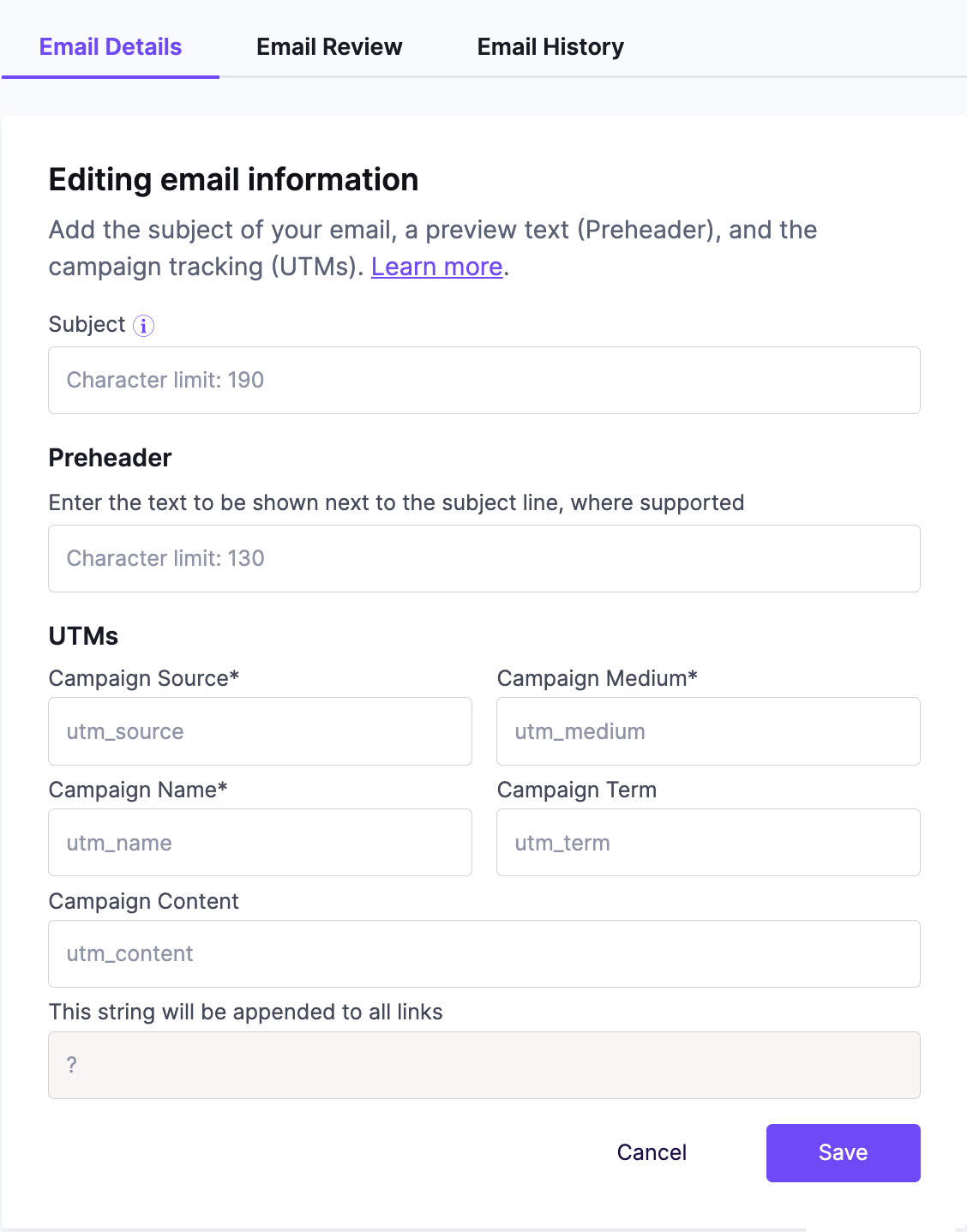
To change these settings, use the edit icon to the right of Subject, Preheader and UTM. This opens the menu displayed below.
Adding Preheaders
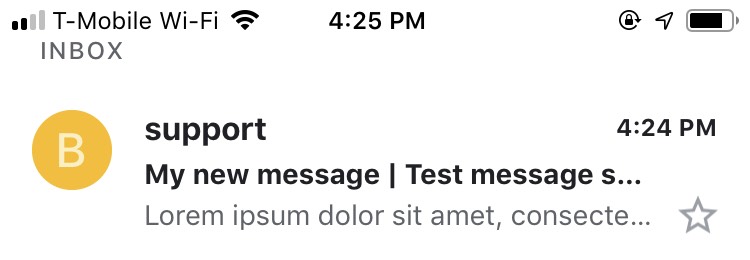
Use the textbox to insert your preheader. This text appears below the subject line of your email once the design is sent to your recipients. Keep in mind that there is a character limit for preheaders. A warning message displays if you exceed this limit.

Once you're ready, use the save button at the bottom of the form to save your new preheader.
You can test the preheader by sending a test email to an email client that supports preheaders. Not sure which clients support preheaders? Check out this client support list from Email on Acid.
Want to know more about how preheaders can improve campaign engagement? We recommend checking out this article from Email on Acid: https://www.emailonacid.com/blog/article/email-marketing/5-preheader-text-ideas-to-increase-your-email-effectiveness/.
Adding UTMs
Using UTMs to generate click-tracking data is an integral part of email marketing. We know creating each URL individually - even through an automated tool - can be tedious. To save you time, you can simply enter your UTM parameters into the email details once. RGE Studio takes care of the rest.
Preview the resulting UTM parameters in the locked field below. It updates instantly as values are inserted for each UTM parameter.
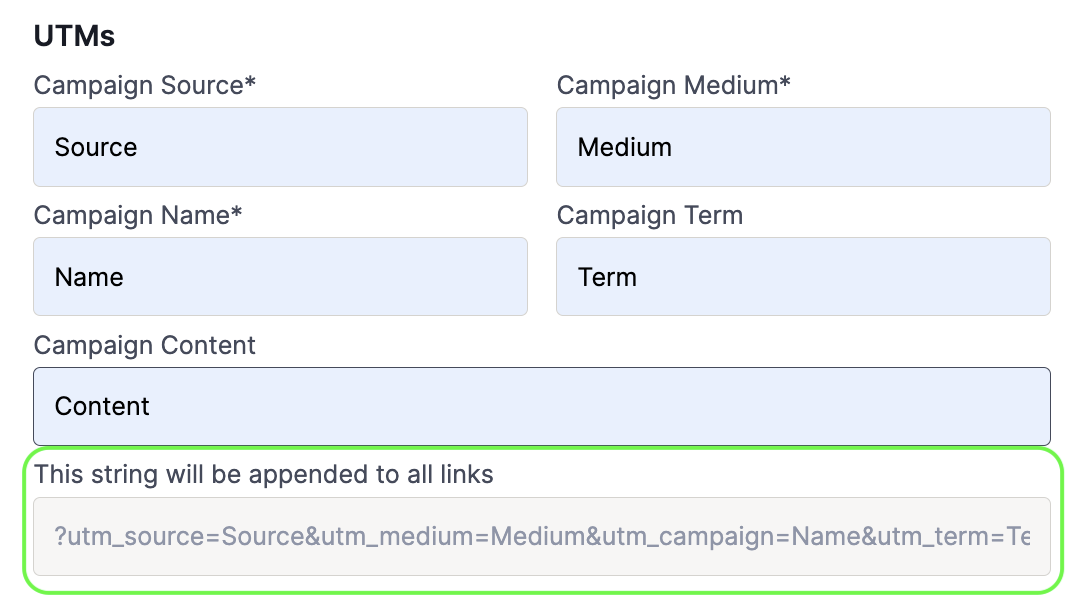
Use the save button at the bottom of the form to apply the UTM parameters to the links in the design.
The UTM parameters will not be visible inside the builder. You can verify the links through a test message, the preview URL, or an email preview service. All links in an exported design will include this information.
Looking to learn more about how to use UTMs and how they can help with your campaigns? Check out this article from Email on Acid: https://www.emailonacid.com/blog/article/email-marketing/how-to-use-utm-parameters-in-email-utm-parameter-checker/
Mandatory Fields
With the UTM form, you can use up to five parameters for your email. The following parameters are always required:
- Campaign Source
- Campaign Medium
- Campaign Name
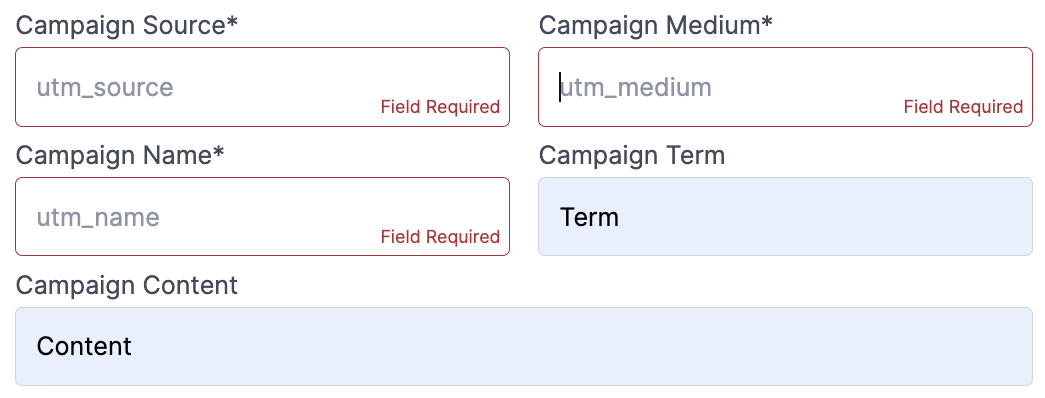
Changing the preheader or the UTMs
You can preview the preheader and UTM settings on the email details page.
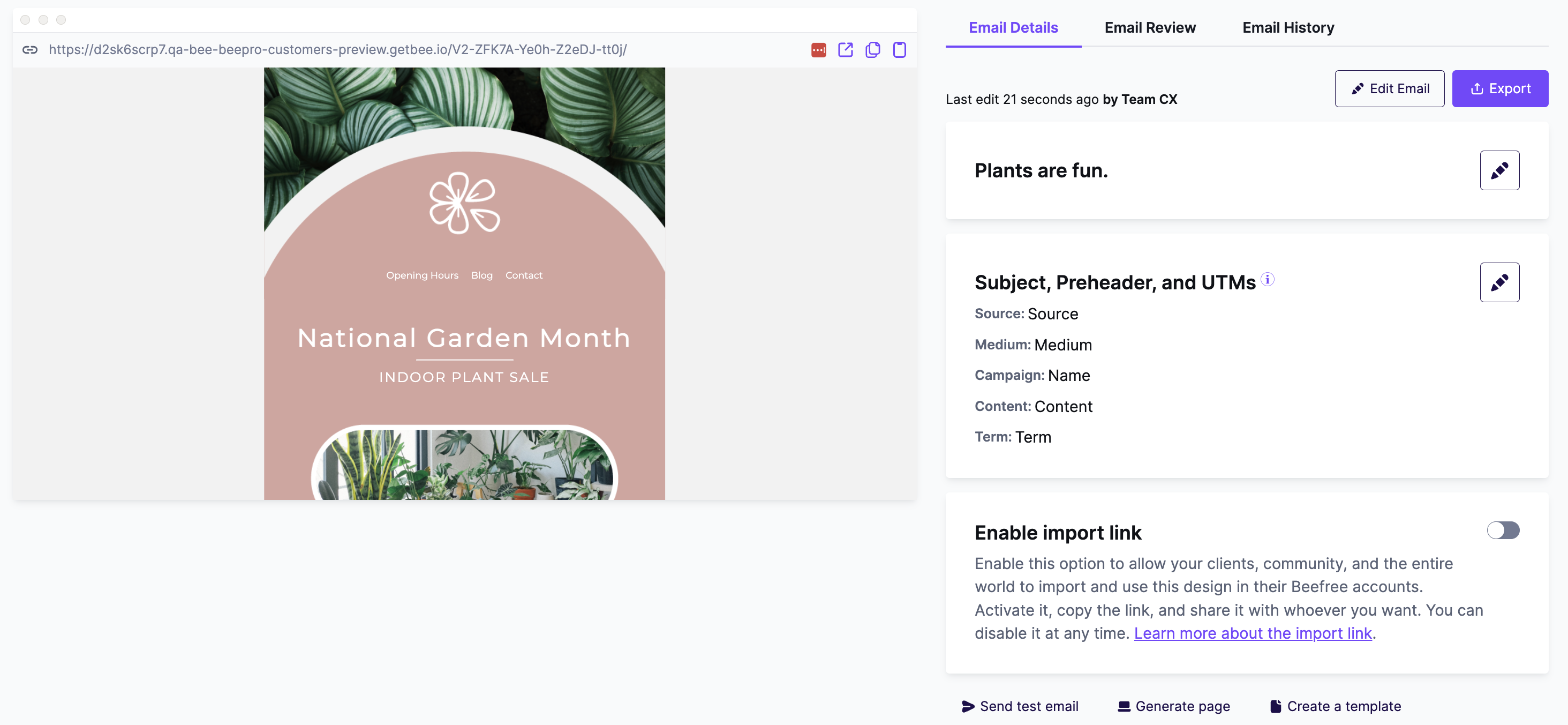
Using the edit icon, you can update or remove these details at any time.
Additional Notes
- The URL needs to follow either HTTP or HTTPS protocol in order to have the UTM parameters added.
- UTM parameters will not be added to special links.
- Templates cannot have UTM parameters applied. If you create a template with an email using UTM links, these parameters will be lost.
- Updates to UTM links will not be reflected in the email history.
- For anchor links, the UTM parameters are appended before the # character. This ensure your anchor links will always work properly.
If you have any questions, feel free to contact us.
Comments
15 comments
Thank you Willow!
Any plans to add this into the Plugin?
Hi Leslie! Sorry for the delay in our response. This feature for UTMs and preheaders exist within the BEE Pro platform, rather than in the editor itself. As a result, it's not something that we can release on the Plugin side - but your developers could certainly build a similar feature around your instance of the Plugin.
Can the UTMs be deleted once it has been added?
Hi Tarun! We just tested this and there is a bug that is impacting the ability to delete UTMs. Our team is aware of this issue and is working on resolving it. I apologize for any inconvenience this causes. If you need further assistance, our team can remove any unwanted UTM parameters through a support ticket.
Can you flag URL's in a way to NOT have the UTM added to them. (i.e. links to 3rd party sites?) That would be a nice addition to this feature.
Hi Douglas, thanks so much for sharing this idea! I'm passing this along to our Product team. We'll see if this is something we can implement in the future.
Hi,
Is it possible to have default UTMs ? So you don't have to start from scratch for every new email, since we don't need that much variations.
Thanks,
Sarah
Hi Sarah,
At the moment, it's not possible to save your UTMs or set a default value, but please know that I'm logging your suggestion as feedback for our Product Team to process.
For now, you can work around this practically by having an email design with the UTM fields filled out as a starting point and then making a copy of this design. The UTMs will then be carried over to the copied design.
I hope this helps. Thanks for sharing your feedback with our team!
It'd be helpful if the link text (alt text for images) etc could be used as the UTM content which is typically used to identify what specific link took the user to your website. Helpful when we have both images and link in our email taking someone to the same place.
It'd be good to manage in settings what URL domains we want the UTMs associated with so the feature can ignore third-party links.
I'm currently reviewing Email builder products and this was a selling point for BeeFree as its could have helped solve a pain point for us but in its current state, we'd have to keep on inputting UTMs in the HTML code.
Hi Andrew, thanks for taking the time to share this feedback with us. We appreciate it!
I will log this as feedback to process for our Product Team so they can consider your suggestions for the future of Beefree.
Hi. Is there anyway to create presets for some of the UTM parameters that would be consistent from email, such as medium?
Hello BeeFree Customer Support & Product Team! Is it possible to change the syntax/structure of the UTM parameters that are automatically inserted? Currently, they are structured as 'utmSource' (etc, see screenshot below). In order for conversions to map into our CRM, we use 'UTM_Source' in our links. Can that be changed?
Hey Marianne, I've got the same request as Andrew. In order to know where a user clicked the same link within an email (it could be placed multiple times) I have to manually add UTM content parameters on the end of each link.
It'd be great if there was a UTM Content input field as part of the URL builder. Or if that sounds too onerous, you could simply add a utm_content numbering system to each repeated link. So the first instance would get number 1, the second would get number 2 etc.
Do you have a feature request board I can view?
Hi Robbie and Marshall! Sorry for the delay in our response. Please be assured that we've shared your feedback with our Product team for future consideration. Regrettably, we don't have a public-facing feature request board that we can share.
Please sign in to leave a comment.