Adding Subjects, Preheaders and UTMs

Beefree App is now RGE Studio!
The email design suite you already know and love just leveled up. We’re working hard to update our help center, but you still may see some references to the old product name.
This article applies to the Email builder in all plans.
Overview
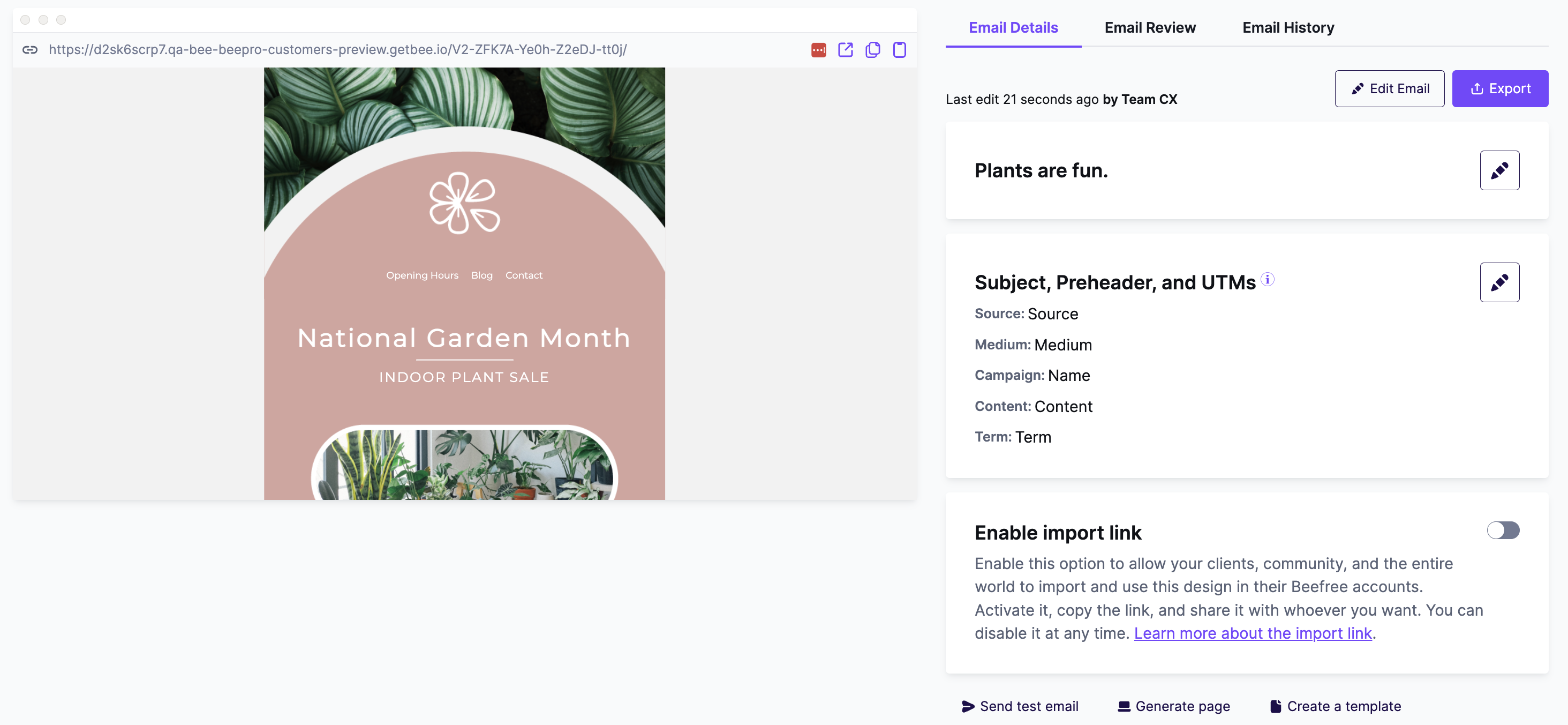
The options for subject, preheader, and UTM are on the email details page. You can find them in a box below the email name.
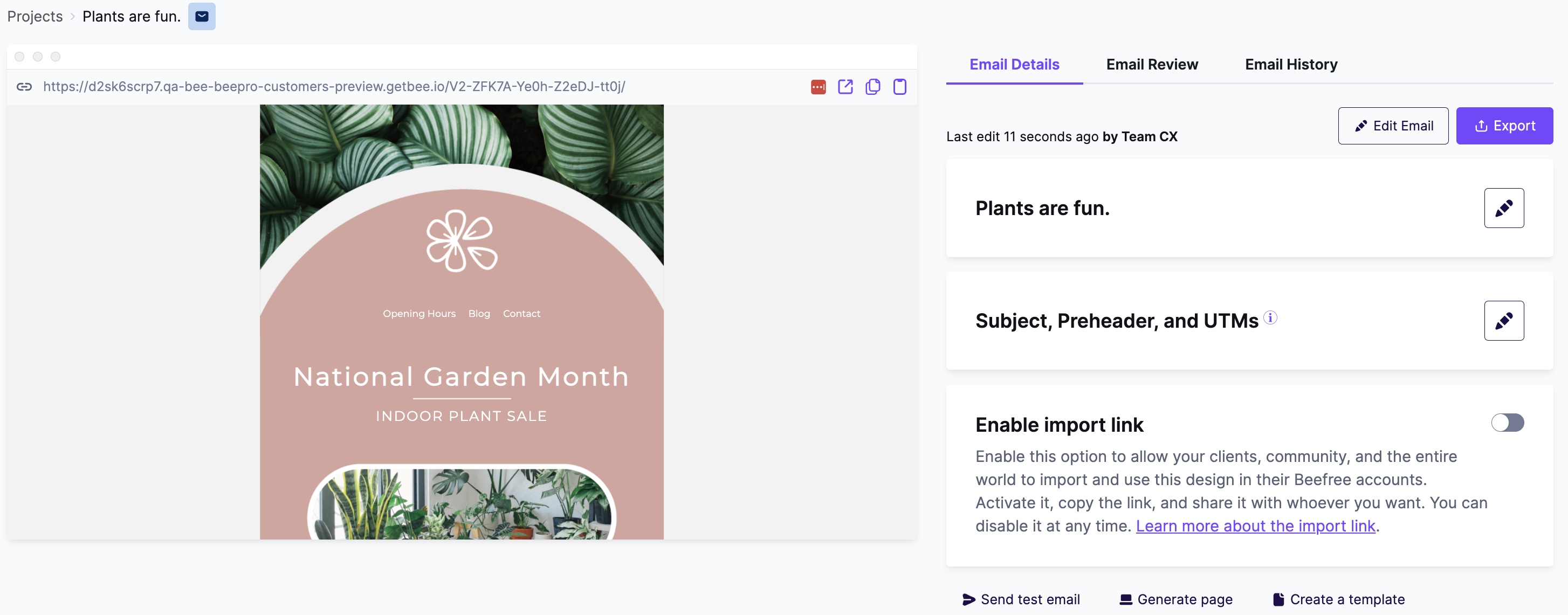
To change these settings, click the edit icon next to Subject, Preheader and UTM. This opens the menu shown below.
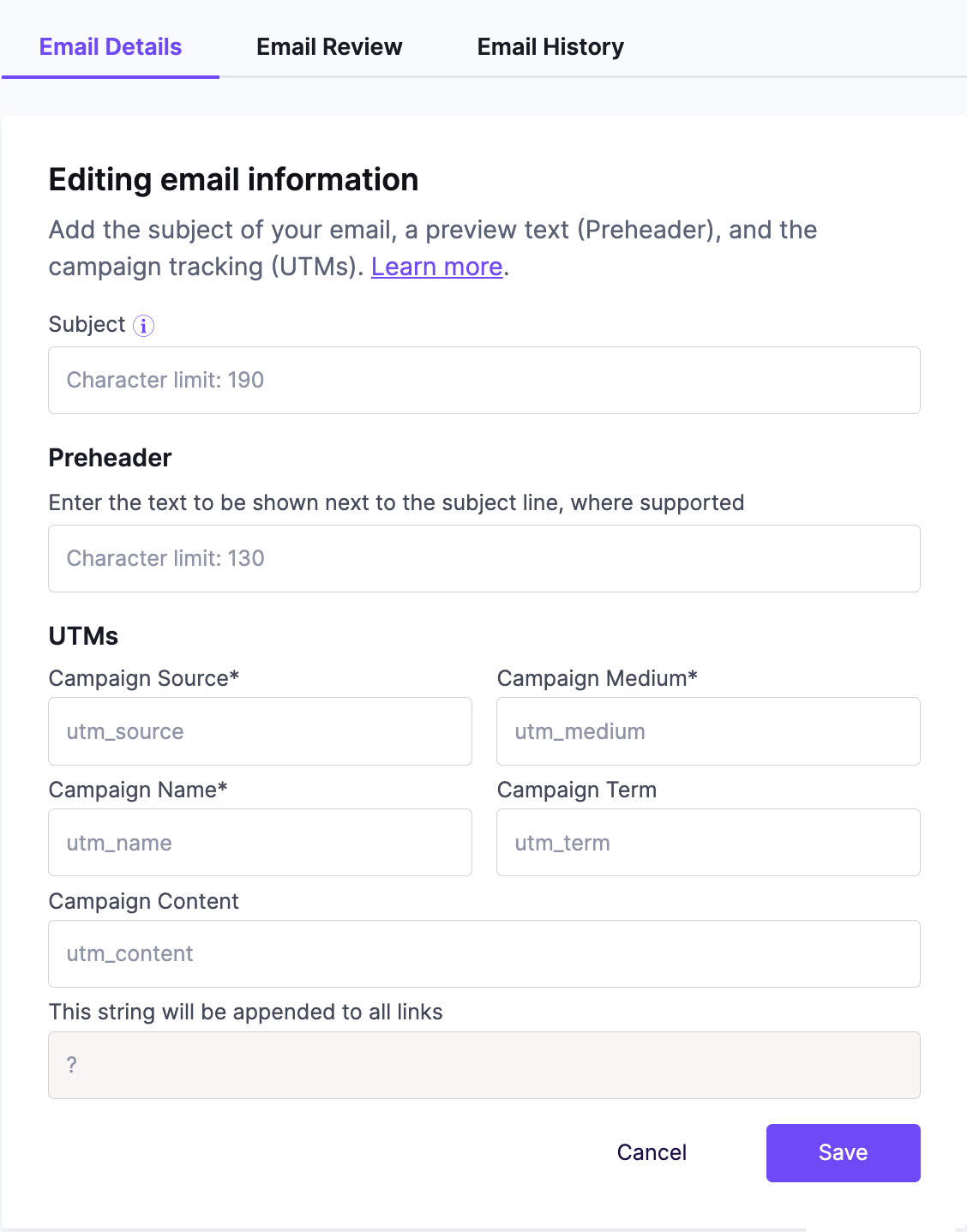
Adding subject
Every email needs a subject line. Enter yours in the text box. All recipients will see this in their inbox. Subject lines have a character limit.
Adding preheaders
Enter your preheader in the text box. Recipients see this text below the subject line of your email. Preheaders have a character limit.
Click save at the bottom of the form to save your preheader. To test it, send a test email to a client that supports preheaders. To see which clients support preheaders, check this client support list from Email on Acid.
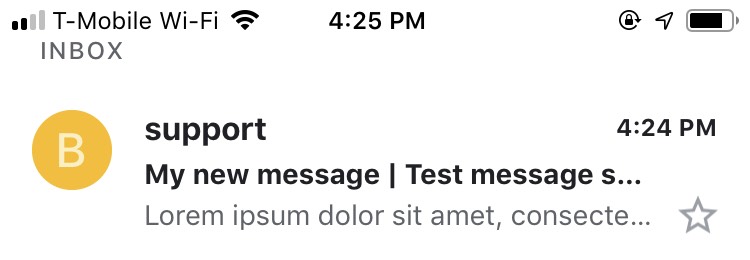
To learn how preheaders can improve engagement, read this article from Email on Acid.
Adding UTMs
UTM parameters help you track clicks on the links in your email. You only need to enter them once in the email details. The click tracking is recorded in your external analytics tool.
Preview your UTM parameters in the locked field. It updates as you enter each value.
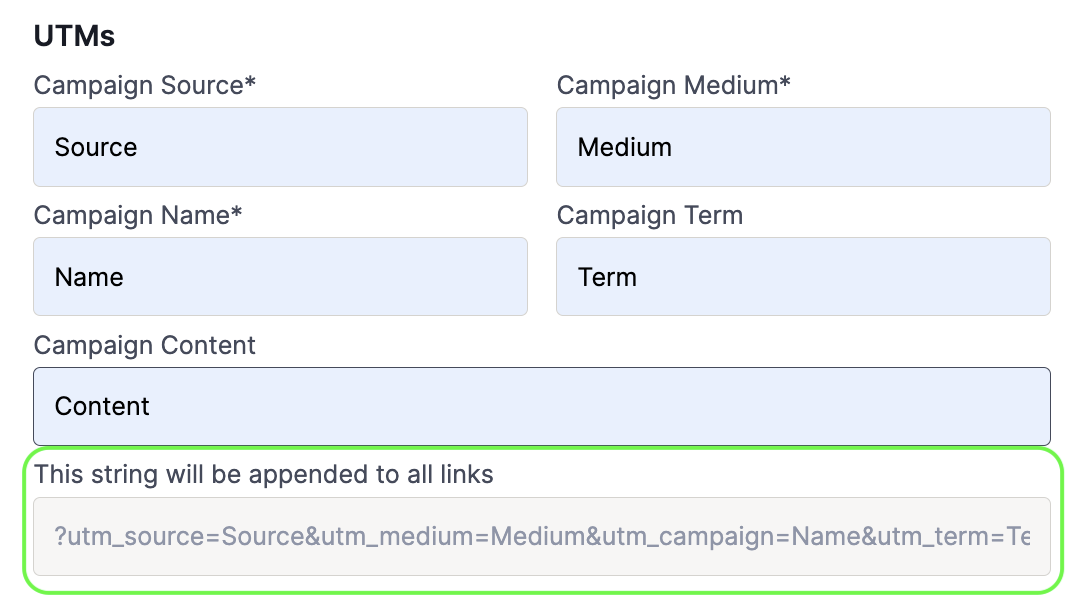
Click save at the bottom of the form. RGE Studio applies the UTM parameters to the links in your design.
The builder shows your links without UTM parameters. All links in an exported design include them. To check your links, use one of these options:
- Send a test message.
- Open the preview URL.
- Use an email preview service.
To learn more about using UTMs in your campaigns, read this article from Email on Acid.
Mandatory fields
The UTM form supports up to five parameters. These three parameters are always required:
- Campaign Source
- Campaign Medium
- Campaign Name
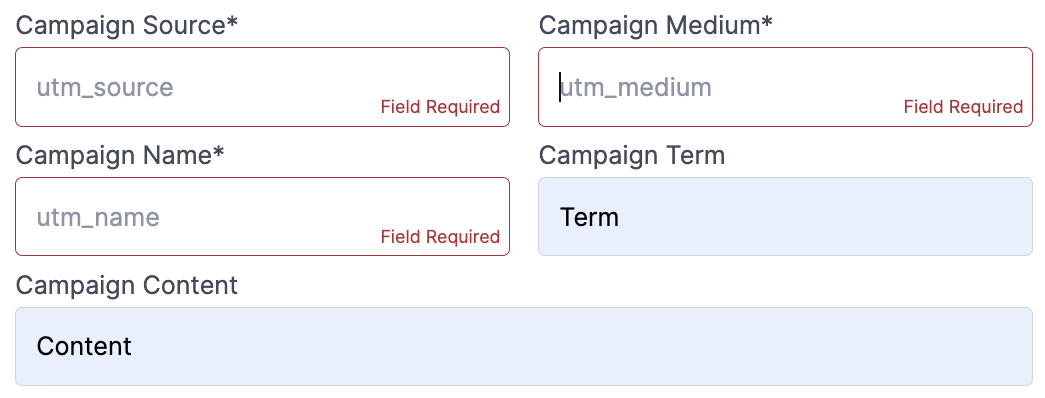
Changing subjects, preheaders, or UTMs
You can preview all of these settings on the email details page. To update or remove these details, click the edit icon.
Additional notes
- Use HTTP or HTTPS for any link that needs UTM parameters.
- UTM parameters skip special links.
- UTM parameters apply to emails, not templates. If you create a template from an email with UTM links, the template drops those parameters.
- Email history does not record changes to UTM links.
- In anchor links, UTM parameters go before the # character. This keeps your anchor links working.
If you have any questions, feel free to contact us.
Comments
15 comments
Thank you Willow!
Any plans to add this into the Plugin?
Hi Leslie! Sorry for the delay in our response. This feature for UTMs and preheaders exist within the BEE Pro platform, rather than in the editor itself. As a result, it's not something that we can release on the Plugin side - but your developers could certainly build a similar feature around your instance of the Plugin.
Can the UTMs be deleted once it has been added?
Hi Tarun! We just tested this and there is a bug that is impacting the ability to delete UTMs. Our team is aware of this issue and is working on resolving it. I apologize for any inconvenience this causes. If you need further assistance, our team can remove any unwanted UTM parameters through a support ticket.
Can you flag URL's in a way to NOT have the UTM added to them. (i.e. links to 3rd party sites?) That would be a nice addition to this feature.
Hi Douglas, thanks so much for sharing this idea! I'm passing this along to our Product team. We'll see if this is something we can implement in the future.
Hi,
Is it possible to have default UTMs ? So you don't have to start from scratch for every new email, since we don't need that much variations.
Thanks,
Sarah
Hi Sarah,
At the moment, it's not possible to save your UTMs or set a default value, but please know that I'm logging your suggestion as feedback for our Product Team to process.
For now, you can work around this practically by having an email design with the UTM fields filled out as a starting point and then making a copy of this design. The UTMs will then be carried over to the copied design.
I hope this helps. Thanks for sharing your feedback with our team!
It'd be helpful if the link text (alt text for images) etc could be used as the UTM content which is typically used to identify what specific link took the user to your website. Helpful when we have both images and link in our email taking someone to the same place.
It'd be good to manage in settings what URL domains we want the UTMs associated with so the feature can ignore third-party links.
I'm currently reviewing Email builder products and this was a selling point for BeeFree as its could have helped solve a pain point for us but in its current state, we'd have to keep on inputting UTMs in the HTML code.
Hi Andrew, thanks for taking the time to share this feedback with us. We appreciate it!
I will log this as feedback to process for our Product Team so they can consider your suggestions for the future of Beefree.
Hi. Is there anyway to create presets for some of the UTM parameters that would be consistent from email, such as medium?
Hello BeeFree Customer Support & Product Team! Is it possible to change the syntax/structure of the UTM parameters that are automatically inserted? Currently, they are structured as 'utmSource' (etc, see screenshot below). In order for conversions to map into our CRM, we use 'UTM_Source' in our links. Can that be changed?
Hey Marianne, I've got the same request as Andrew. In order to know where a user clicked the same link within an email (it could be placed multiple times) I have to manually add UTM content parameters on the end of each link.
It'd be great if there was a UTM Content input field as part of the URL builder. Or if that sounds too onerous, you could simply add a utm_content numbering system to each repeated link. So the first instance would get number 1, the second would get number 2 etc.
Do you have a feature request board I can view?
Hi Robbie and Marshall! Sorry for the delay in our response. Please be assured that we've shared your feedback with our Product team for future consideration. Regrettably, we don't have a public-facing feature request board that we can share.
Please sign in to leave a comment.