View & restore a previous version of an email or page

Beefree App is now RGE Studio!
The email design suite you already know and love just leveled up. We’re working hard to update our help center, but you still may see some references to the old product name.
This article applies to both versions of the builder in all plans. However, some features may be limited or unavailable on the Starter plan.
Email and page version history adds a level of control and flexibility to RGE Studio. You can view, restore, or export a previous version of your work. If you're working with multiple users, you can also see who made the changes and when.
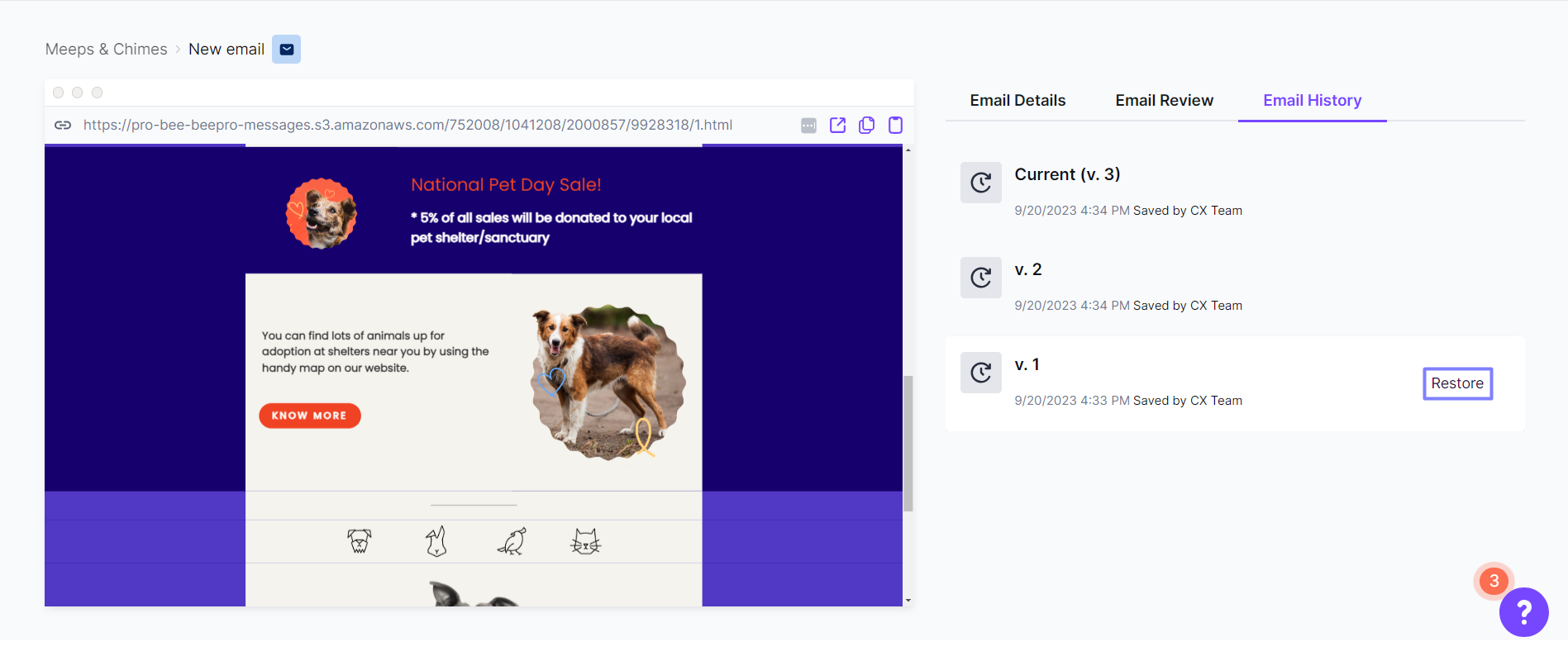
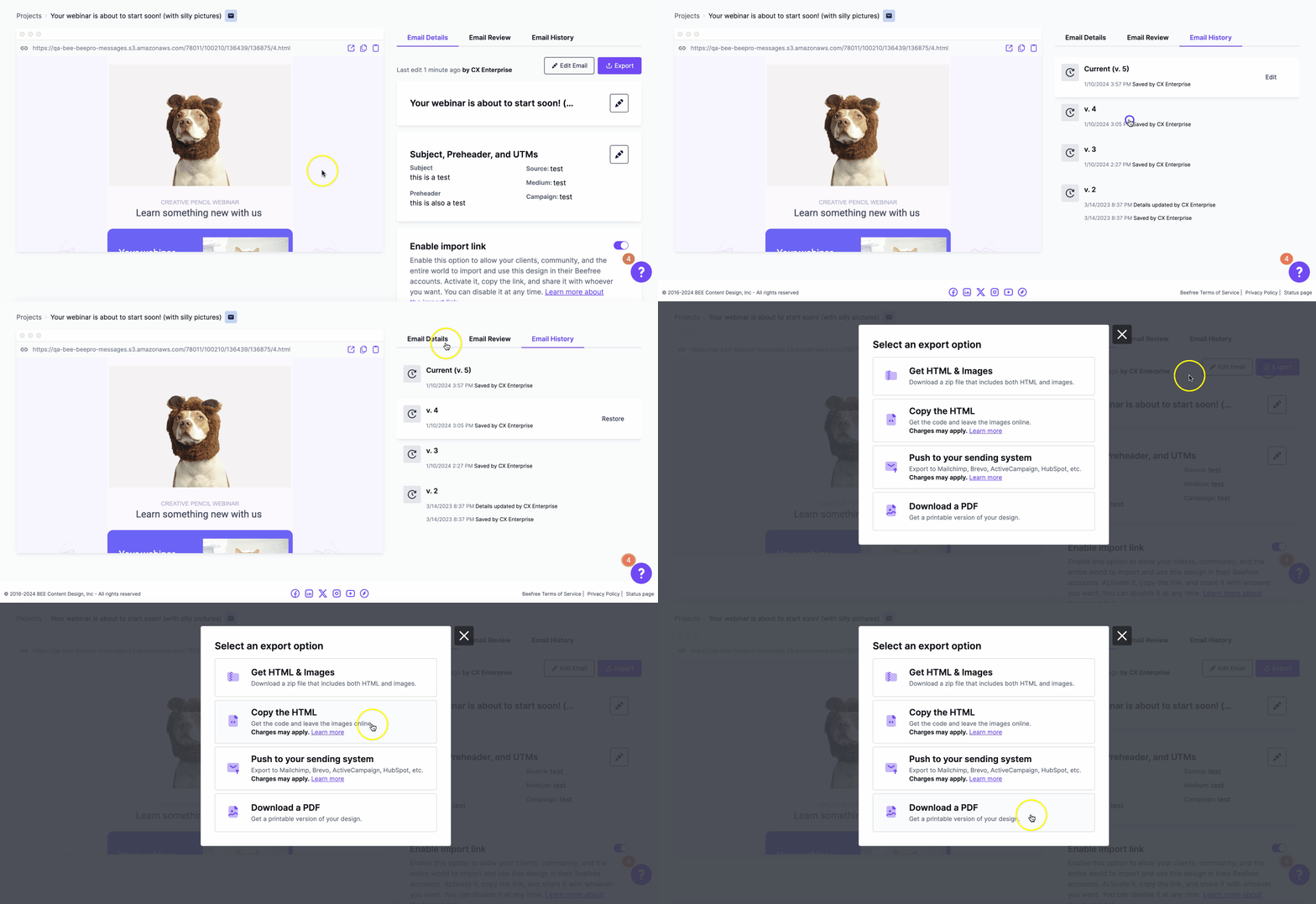
RGE Studio saves a copy of your design each time you save changes. All saved versions are listed in the History tab on the email or page details page. Each entry includes:
- the version number
- the name of the person who worked on that version
- the time and date when they saved it
Starter accounts have access to the most recent historical version. Professional, Business, and Enterprise plans include the full version history.
How it works
Once you save an email or page, the Email/Page details page shows two tabs.
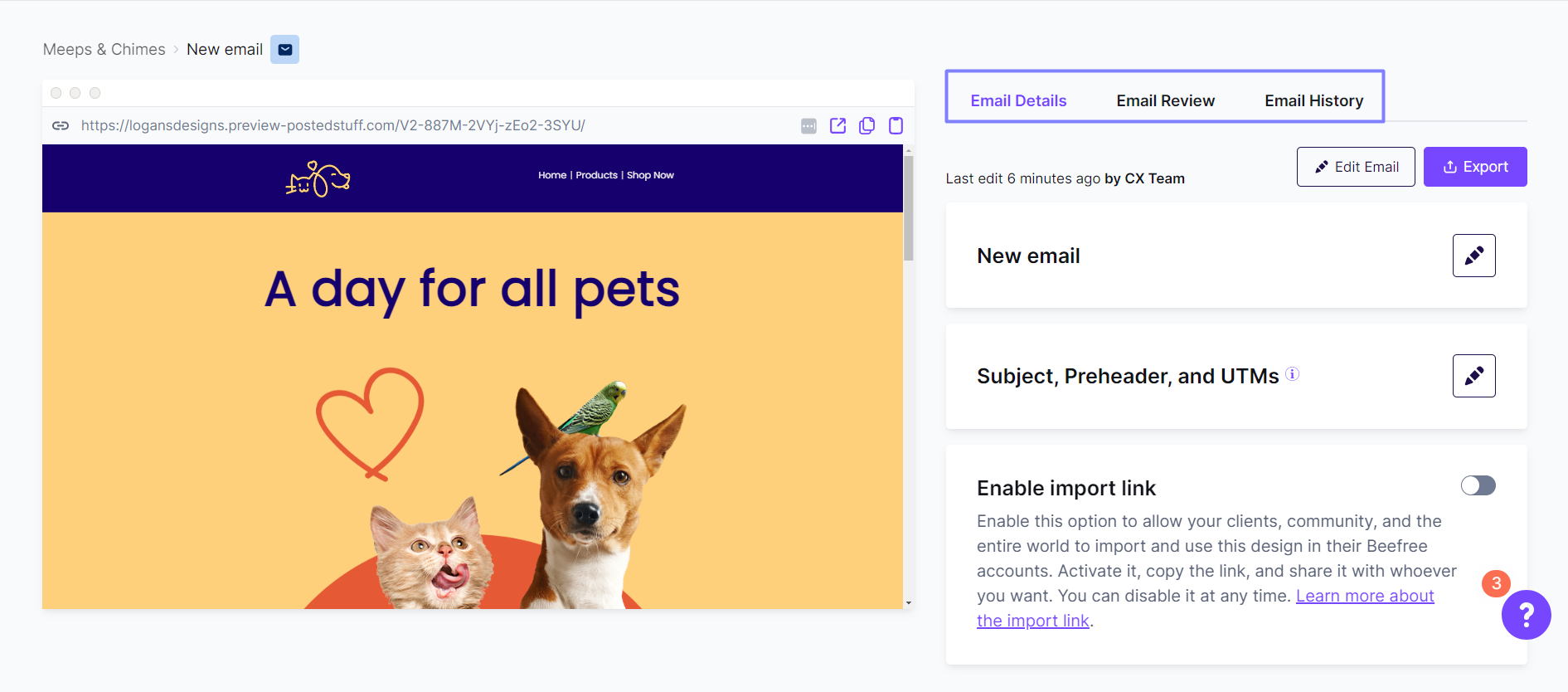
Details shows information about the email or page you've just saved.
-
History gives you access to all saved versions of the email or page.
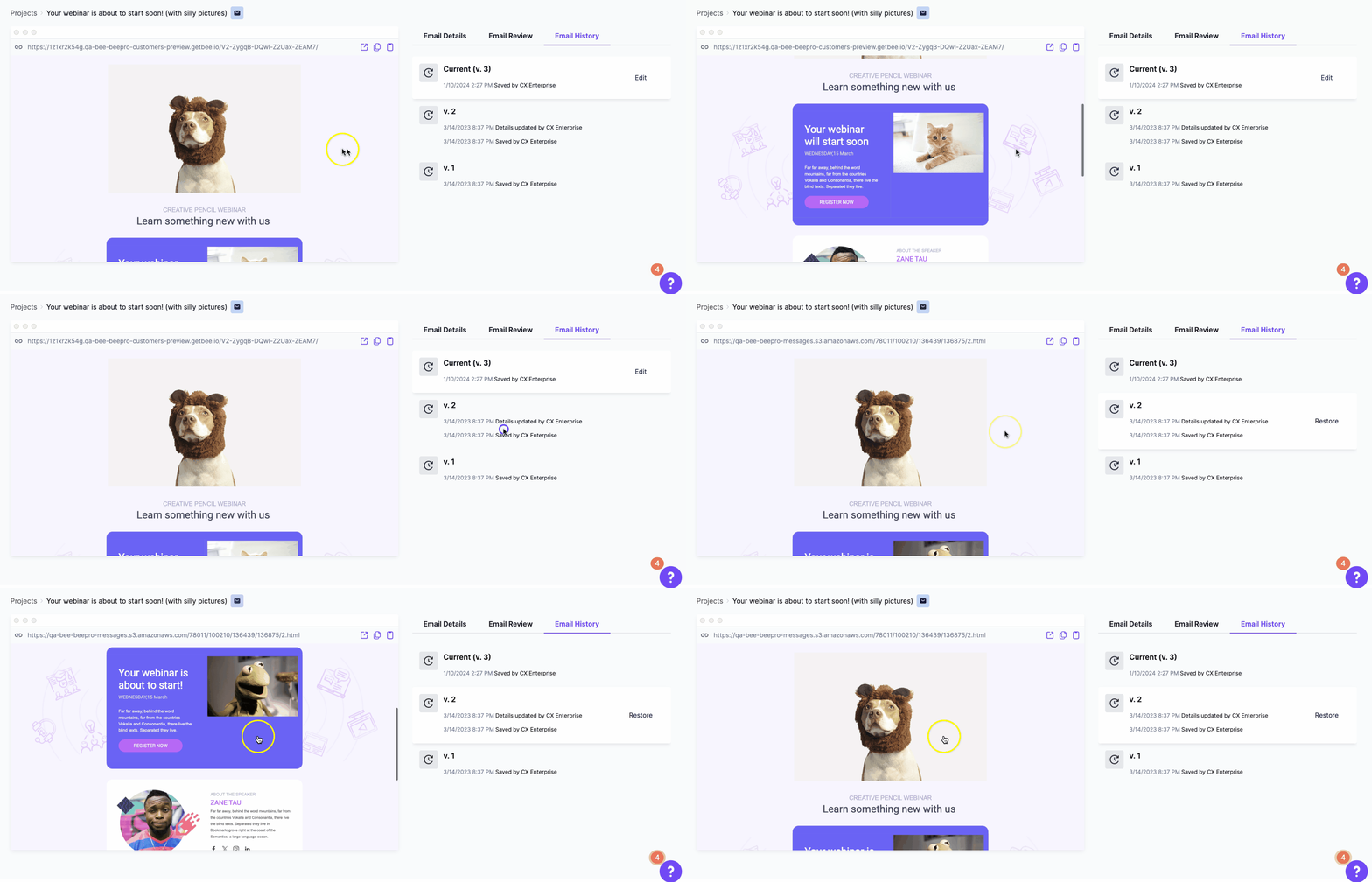
If you use Co-editing in Business and Enterprise plans, you may see some differences in the History view.
Track user activity
Who made the most recent edits to the latest newsletter? When was the password reminder template restored, and who did that? Who created the design for this product announcement?
Version history tracks and displays user activity. Team members can take credit for their work. If there is a problem, you can clearly identify who is responsible.
Restore a previous version
To restore a previous version, navigate to the Email/Page details section for that design. Click the History tab. Versions are listed chronologically, with the most recent at the top.
Each version gives you access to the following options:
- Preview: view a preview of the email or page.
- Restore: replace the current version with the selected one. Confirm when prompted to complete the action.*
*Starter accounts can restore the most recent version. Professional, Business and Enterprise plans can restore any version in the history.
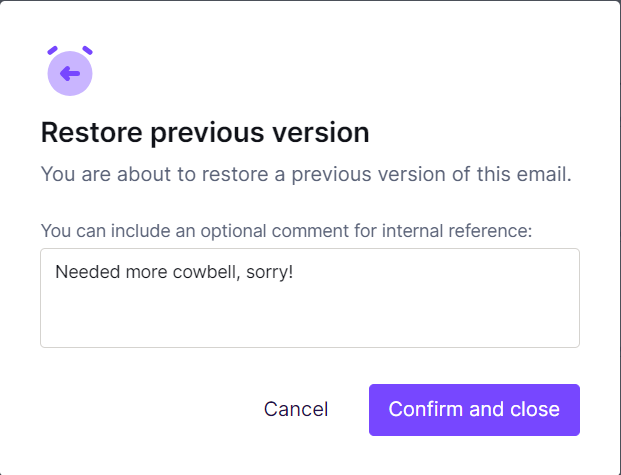
When you restore a previous version, you can provide a reason for the change. The selected version becomes current and moves to the top of the list. The previous current version becomes the second entry.
- Select Confirm and close to return to the version list.
- Select Confirm and edit to go directly to the builder.
Exporting a previous version
You can export any saved version of an email or page, not just the current one. For example, you might want to use two versions as variations in an A/B test.
To export an older version, restore it from the History tab first. Then go to the Details page and click Export.
User roles
This feature is not available in the Starter plan.
Contributors cannot restore a previous version. Use user roles to manage which users can access the Restore feature.
If you have any questions, feel free to contact us.
Comments
0 comments
Please sign in to leave a comment.