HTML Minifier

Beefree App is now RGE Studio!
The email design suite you already know and love just leveled up. We’re working hard to update our help center, but you still may see some references to the old product name.
This article applies to the Email builder in Business and Enterprise plans.
Overview
Creating engaging emails can help your conversion rate. However, complex designs can create large HTML files. Large files can cause deliverability issues and Gmail clipping. The HTML Minifier in RGE Studio reduces your file size without changing your design elements.
What It Is
The HTML Minifier lets you focus on your design so you don't have to worry about the size of your code. The more complex your design is, the larger the HTML file becomes. This tool compresses your code without changing how it renders.
How It Works in RGE Studio
After you save an email, click the export option in the email builder. You'll find the export option in several places within RGE Studio. For more information, check out Testing and exporting your emails with RGE Studio.
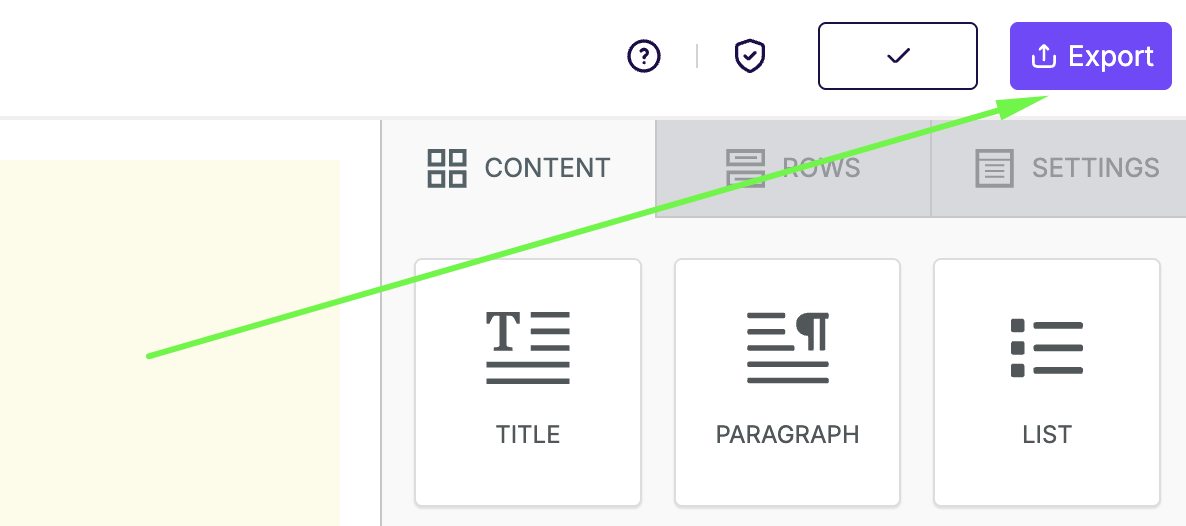
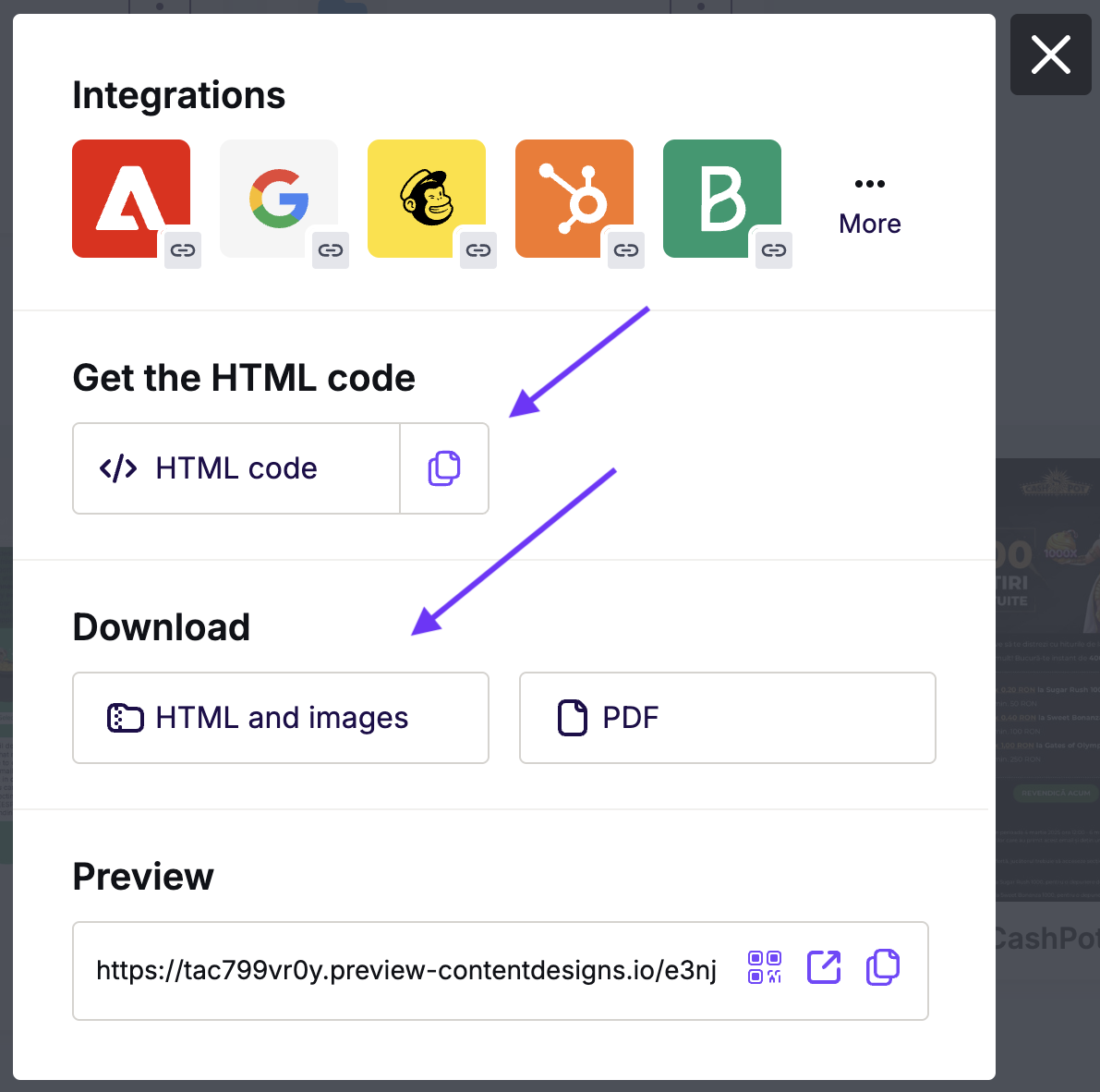
The Minifier is available for these export options:
- Get the HTML code
- Download HTML and Images
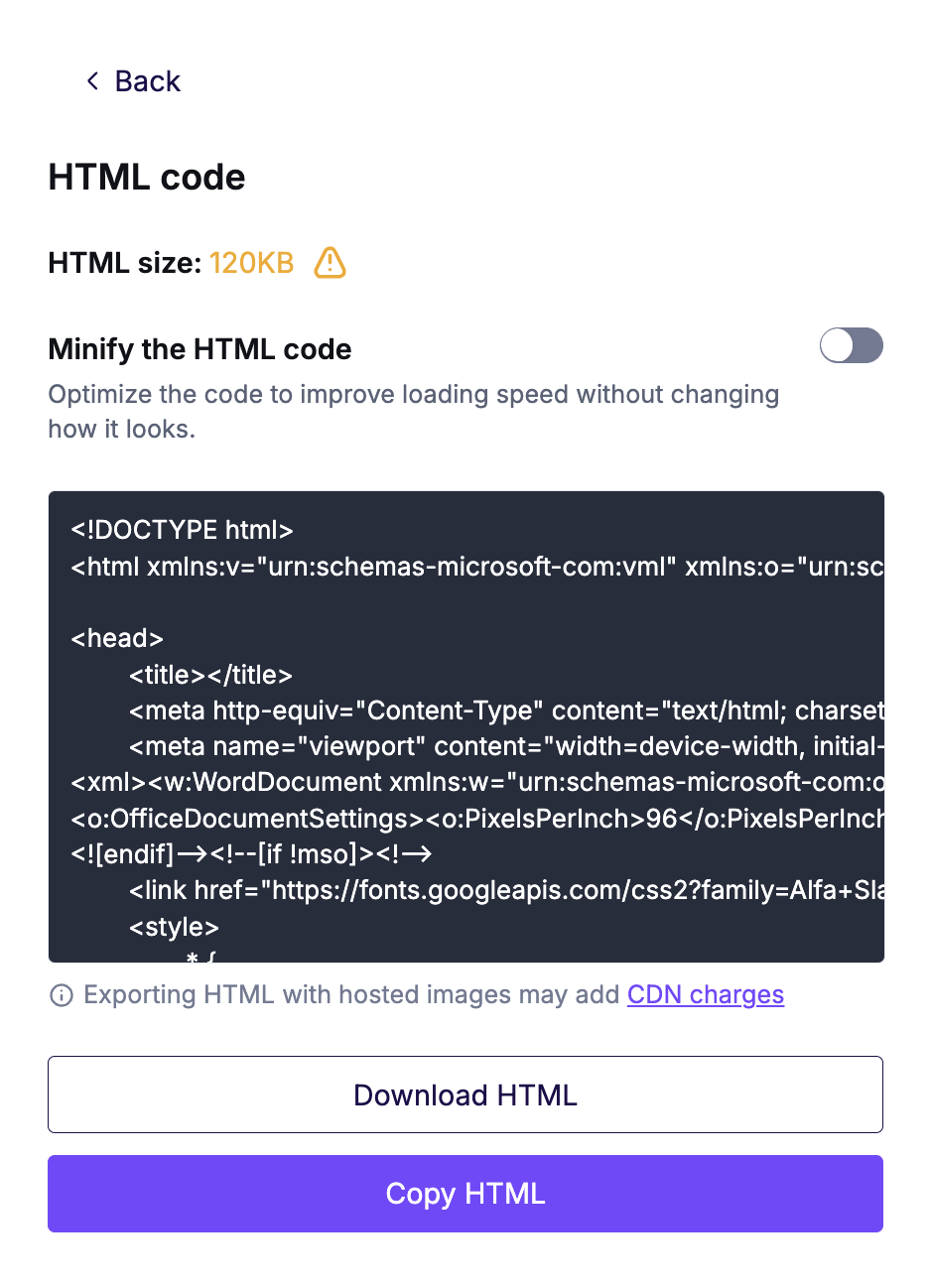
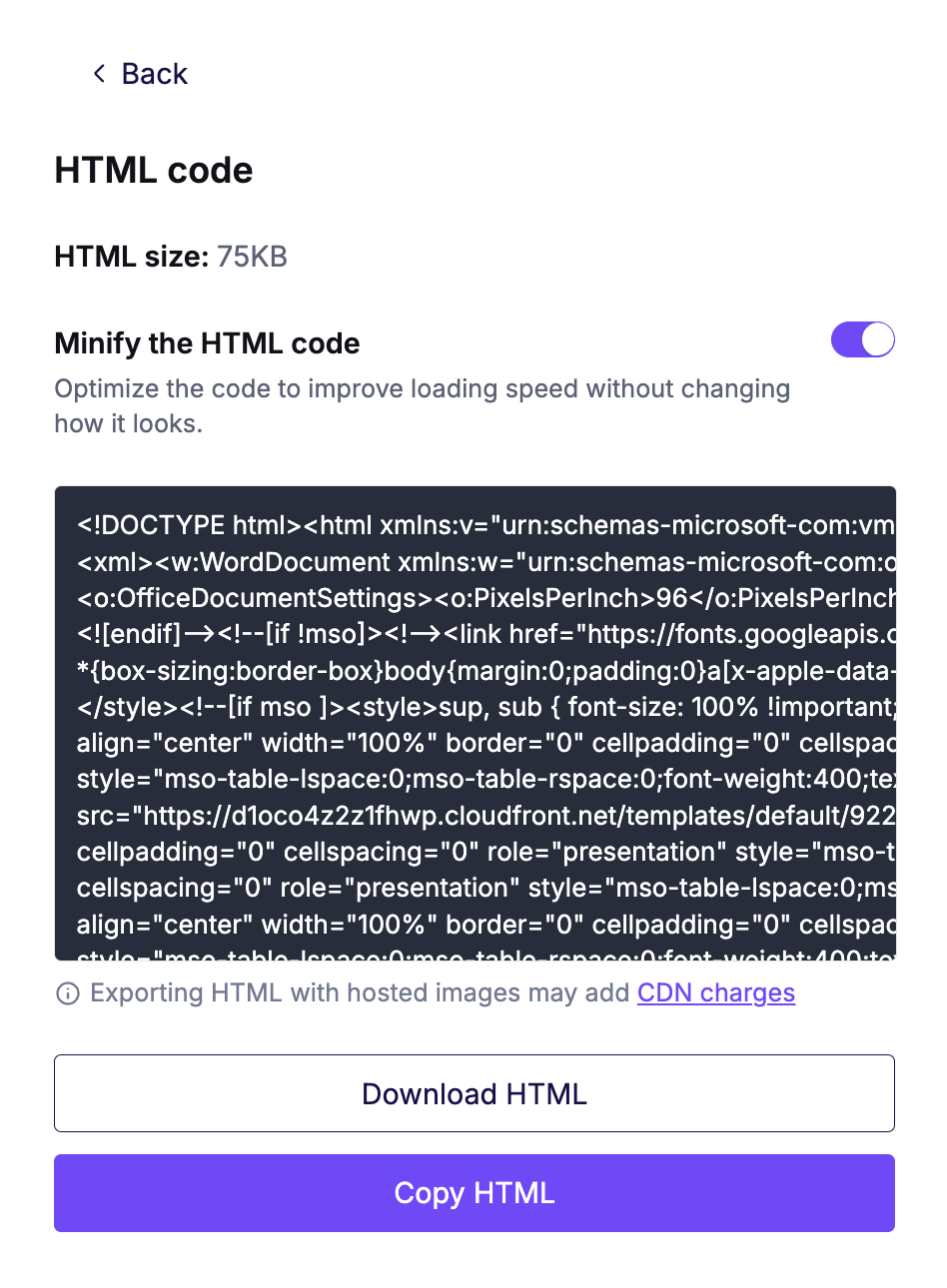
Use the toggle to minify your HTML code. The example below shows the size difference.
 |
 |
Benefits
Here are some reasons to use the HTML Minifier:
- Save time: The Minifier checks your file size automatically. You don't need to check it before exporting to a third-party tool.
- Avoid rendering issues: Gmail clipping can cut off the bottom of long emails. This can hide your unsubscribe link from recipients.
- Improve deliverability: Some spam filters may flag large emails. A smaller HTML footprint helps your email reach the inbox. Learn more about email file size.
- Boost mobile speed: Smaller HTML files load faster on mobile devices.
Additional Considerations
- HTML size in the export modal may differ slightly from the size shown in Smart Check. Certain elements, like UTM parameters, are added only during export.
- The HTML weight in the export modal takes 30 seconds to update. This happens after you save your design.
- Once you toggle on the Minifier, it becomes the default for future exports. You can toggle it off at any time.
- When your HTML is under 80 KB, the size appears in gray text. If your HTML exceeds 80 KB, the size appears in yellow text.
If you have any questions, feel free to contact us.
Comments
0 comments
Please sign in to leave a comment.