How to skip the trial and subscribe to a RGE Studio plan

Beefree App is now RGE Studio!
The email design suite you already know and love just leveled up. We’re working hard to update our help center, but you still may see some references to the old product name.
The Subscription page looks slightly different during a free trial. Notably, you'll only have access to the Overview tab. This page will include some options specific to the trial period, such as:
- The date that your trial will expire.
- The Enroll now button, which allows you to skip the trial and purchase immediately.
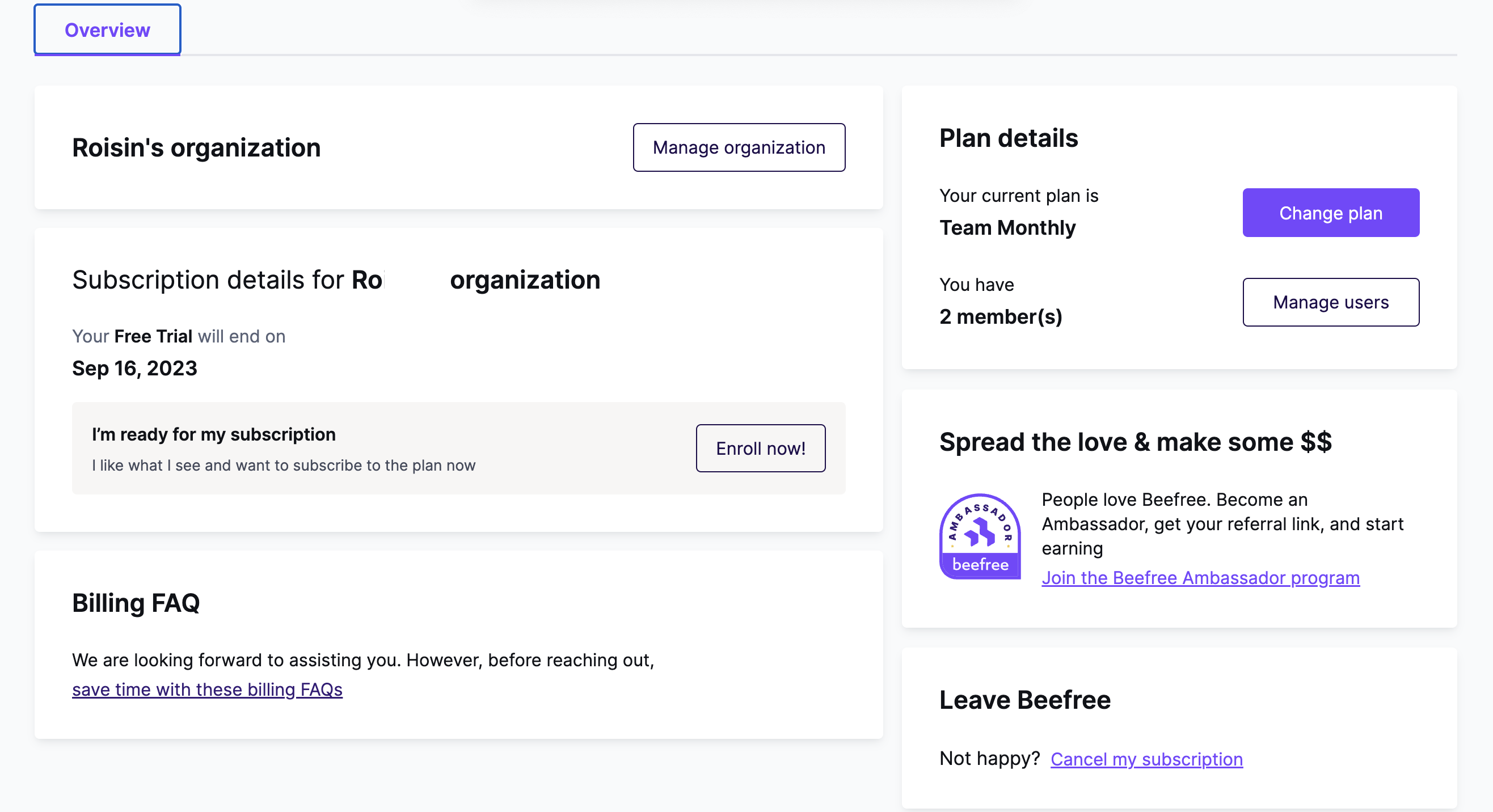
By using the Enroll now button, the platform will ask for credit card information. Otherwise, we only ask for this information once the trial ends if you purchase a paid plan.
If you want to skip the trial to use a free Starter plan instead, use the Change plan button.
If you're using a Starter plan, you can also skip the trial and purchase a Professional or Business subscription immediately. Use the Change Plan button, click See details for the plan you want, and follow the prompts in your cart.
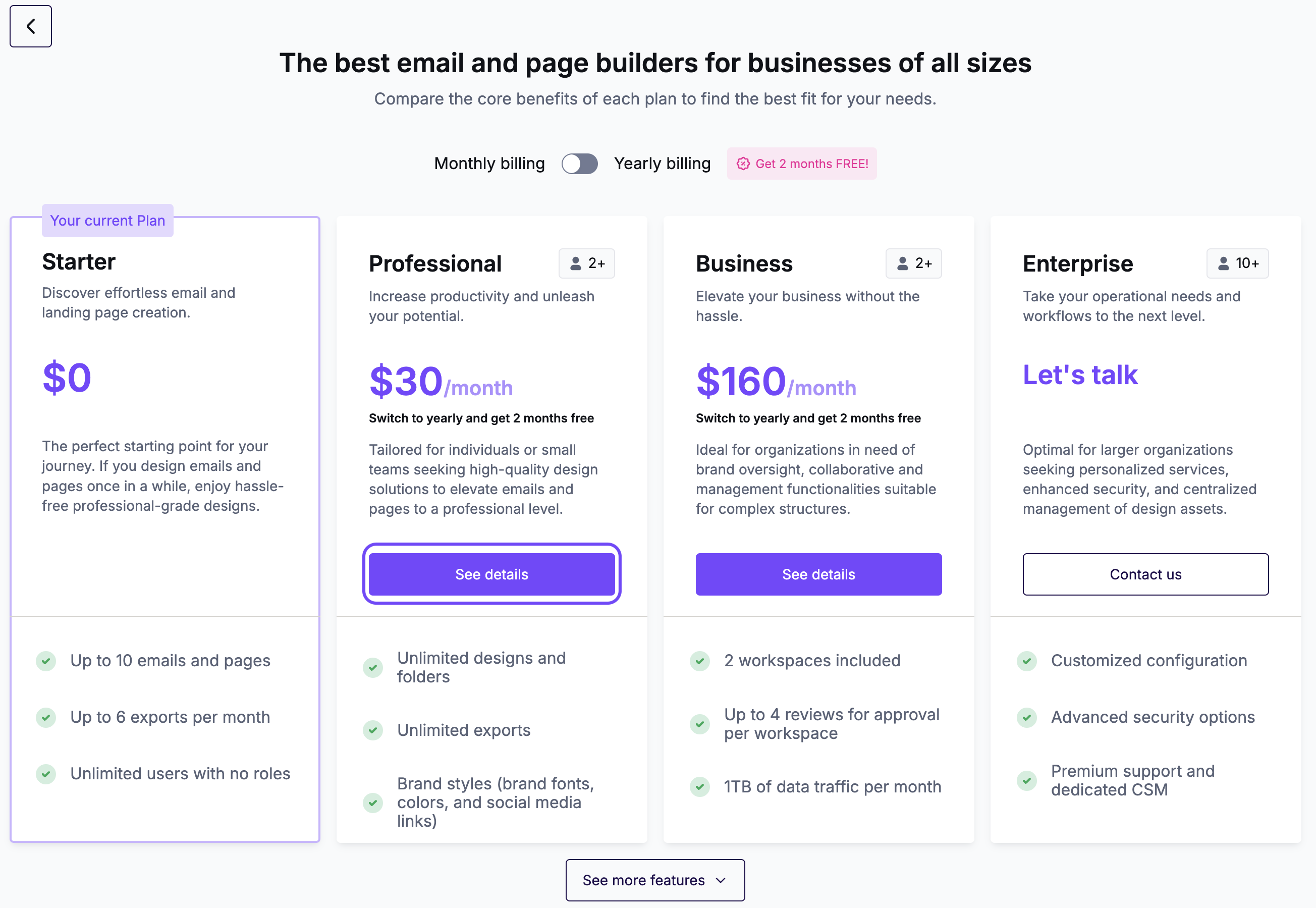
Looking to purchase Enterprise instead? Talk to Sales about which plan is right for you.
If you have any questions, feel free to contact us.
Comments
0 comments
Please sign in to leave a comment.