In-app CDN Report

Beefree App is now RGE Studio!
The email design suite you already know and love just leveled up. We’re working hard to update our help center, but you still may see some references to the old product name.
This article applies to both versions of the builder in all plans. However, some features may be limited or unavailable on the Starter plan.
Overview
You can check the CDN usage for your RGE Studio account in the app. CDN usage is the delivery of images, files, and videos used in your designs.
Traffic is generated when you send a design through a third-party sending platform. Pages and preview URLs also generate traffic. RGE Studio calculates traffic whenever images load. For details, see Hosted image delivery (CDN) in RGE Studio.
View usage at a glance
With the Owner role, you can view your CDN usage at a glance inside the RGE Studio application. To view your usage on a paid plan:
- Log in to your RGE Studio account.
- Go to the organization where you are the Owner.
- Click your profile at the top right of the screen to open the drop-down menu.
- Click Subscription in the drop-down menu.
- On the Overview page, select the Recurring & usage-based fees tab.
The tab shows a graph of your CDN usage.

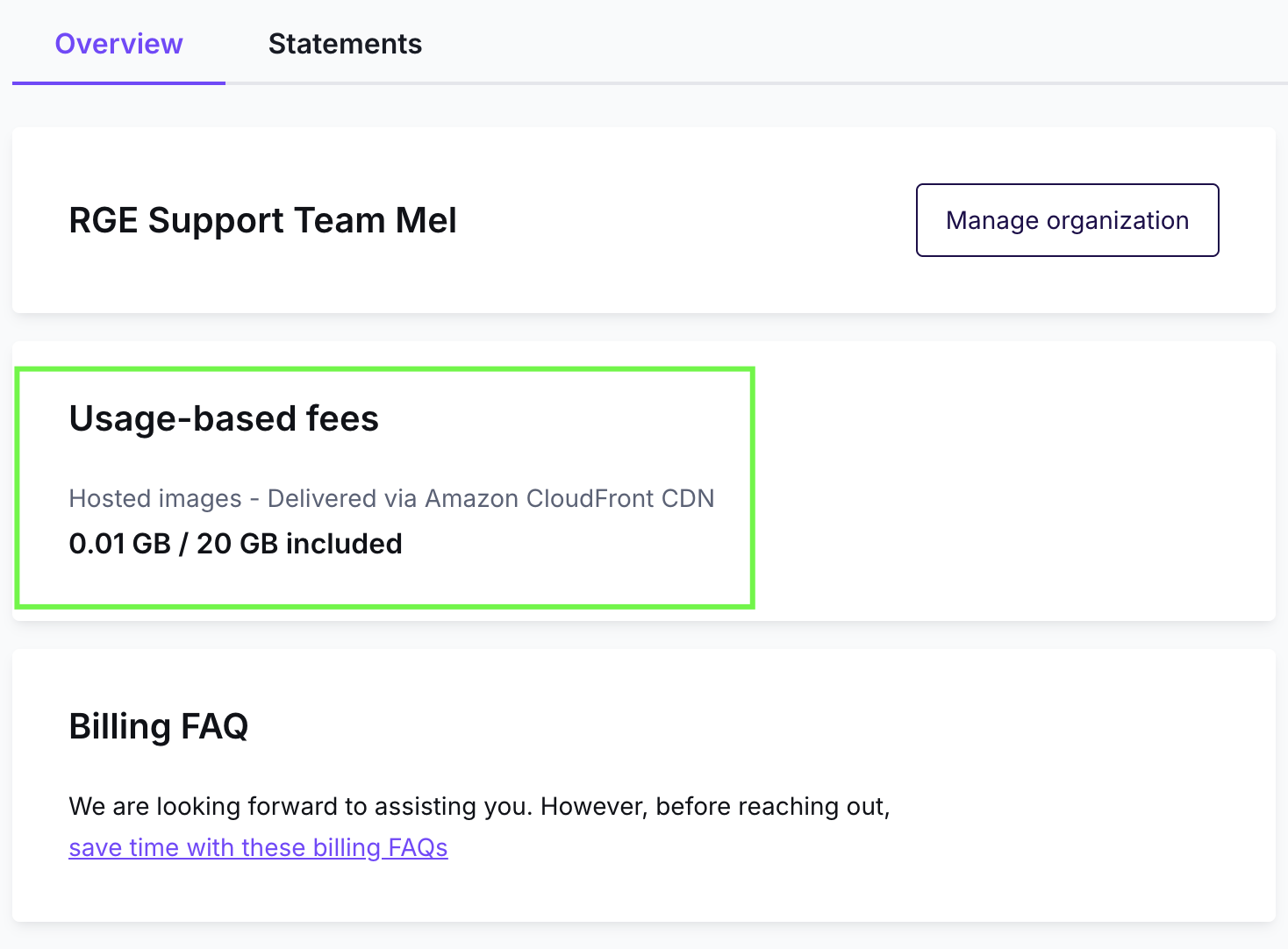
On the Starter plan, CDN usage appears on the Overview tab in the Subscription area. Look for the Usage-based fees section. It shows your hosted image usage compared to the amount included in your plan.
Click Bars in the Interactive Graph
Click a daily bar in the interactive graph to view more information. Selecting a bar shows:
- Date
- Daily usage
- Total usage
- Information icon
Clicking a bar also opens a report with the top 10 resources used on that day. The report shows which images generated the most CDN usage that day.

Download CDN Reports
Click on one of the bars inside of the interactive graph, and RGE Studio will begin preparing your report. You can continue using RGE Studio while the report downloads. This process could take longer than 30 seconds. Once the report is ready, it will be available for reference when you return to this section.
The report has three sections:
- File name: Name of the file in the File manager.
- Used data traffic: CDN usage for the file.
- File physical path: A link to the workspace File manager where the file exists. Workspace information is not available at a glance.

Additional considerations
- The "Top resources" report updates daily. The data is cached for 30 days.
- RGE Studio does not notify you when the report is ready. Return to the CDN usage section to find it.
- RGE Studio sends an email notification when you reach 50% and 100% of monthly traffic.
If you have any questions, feel free to contact us.
Comments
0 comments
Please sign in to leave a comment.