Hosted image delivery (CDN) in RGE Studio

Beefree App is now RGE Studio!
The email design suite you already know and love just leveled up. We’re working hard to update our help center, but you still may see some references to the old product name.
This article applies to all plans. However, some features may be limited or unavailable on the Starter plan.
For Professional, Business, and Enterprise subscribers: Charges may apply. Your RGE Studio subscription may include charges for image delivery traffic. This applies to any files you host in RGE Studio, such as images, videos, or PDFs. Each plan inlcudes an allotted amount of data transfer. Additional traffic costs $0.0001 per Megabyte (MB). See the Additional traffic section below for full pricing.
Overview
RGE Studio stores your images, videos, and other files in the file manager. When your design links to these files, RGE Studio delivers them through our CDN. This delivery counts toward your plan's monthly data transfer allowance.
This article explains how CDN delivery works, how to calculate your CDN data traffic, and how overage charges are calculated on paid plans.
Storage vs. delivery of files
When you export content from your RGE Studio account, you have several options:
- Integrations (connectors): push your design directly to a sending or marketing platform, such as Mailchimp, SendGrid, Gmail, etc.
- Get the HTML code: copy or download the HTML to use anywhere.
- Download HTML and Images: download a ZIP file with the HTML and a separate folder for the files.
- Download PDF: download a PDF version of your email or page. Only available for paid plans.
- Preview: copy or open your design's preview URL to share it with others. Only available for Paid plans.
For more information on export options, see Testing and exporting your emails with RGE Studio.
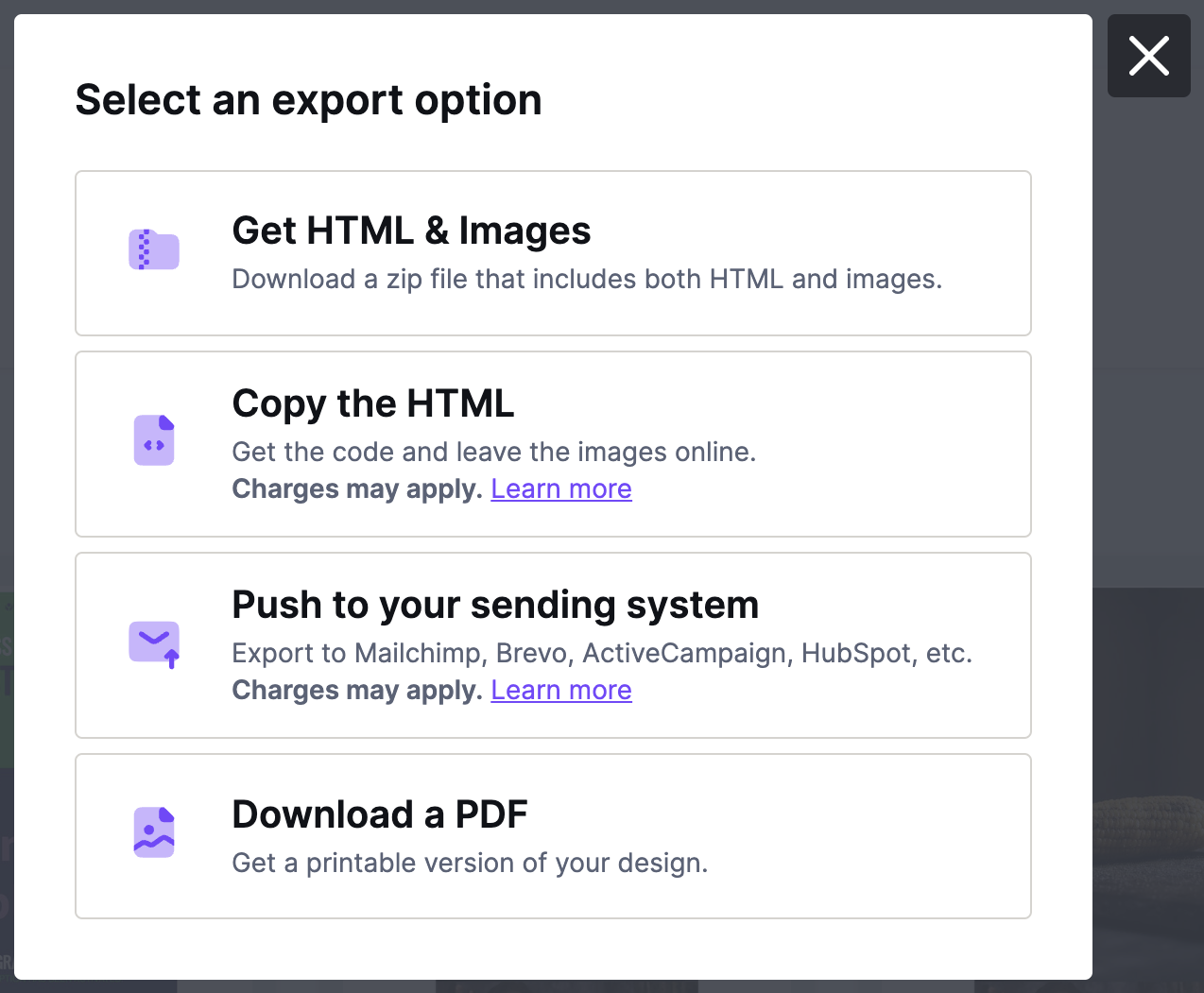
Hosting your images with RGE Studio makes it easier to import your design elsewhere. This works well if the other system only accepts HTML instead of a ZIP file.
Three export options keep your images online: Get the HTML code, Integrations, and Preview. The HTML for your email or page links to these images.
In this case, RGE Studio stores your images and delivers them to your recipients. This happens each time someone opens your email or landing page.
Data transfer applies to anything uploaded to the RGE Studio file manager. This article focuses on images, since they're the most common type of data transfer.
- Storing files in RGE Studio never costs extra.
- Delivering files may cost extra, as explained on this page.
Exclusions: External images don't count toward your data transfer. These are images hosted elsewhere, at the domain of the external URL used in the builder. Default social media icons are also excluded. RGE Studio hosts these icons separately from the image repository linked to your account.
Fast delivery through our CDN
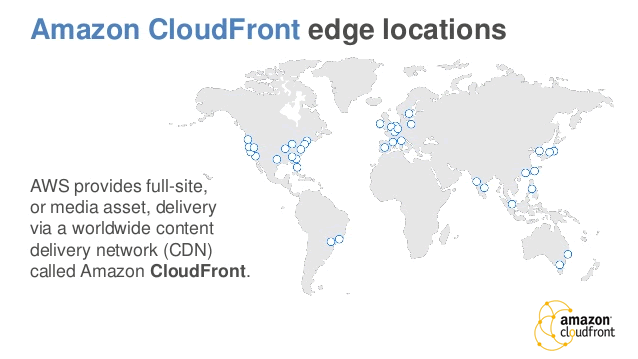
RGE Studio delivers your hosted images quickly through Amazon Web Services' CloudFront Content Delivery Network (AWS CDN). The AWS CDN sends images from the nearest edge location to each recipient. This keeps performance fast, no matter where your emails or pages are opened.
Calculating CDN data traffic
Your CDN data traffic depends on the total data transferred during a billing period. This total depends on how many images get downloaded and how large they are. Use the following formula to calculate this for your emails and pages:
Total size of images included in an email * Total emails sent * Total open rate
+
Total size of images included in a page * Total page views
An example
For example, say you send a newsletter with 10 images at 50KB each. You deliver it to 50,000 people, with a 30% open rate. Here's the calculation:
50KB * 10 * 50,000 * 30% = 7,500,000KB
Hosted image delivery prices are measured in MB for billing. To calculate MB, divide your KB total by 1024. To calculate GB, divide your MB total by 1024 again.
Here's the total converted from KB to MB:
7,500,000KB / 1024 = 7,324.22MB
Here's the MB total converted to GB:
7,324.22MB / 1024 = 7.15GB
This 7.15GB reflects the CDN data traffic for one newsletter send. In this example, the monthly allotment of any paid plan would cover all the image traffic.
Included traffic
Your subscription includes the following data transfer allowance, per month.
- Starter plan: 20GB
- Professional plan: 250GB
- Business plan: 1TB
- Enterprise plan: Custom
See Understanding your Subscription Details for more info on tracking your usage of included traffic.
Additional traffic
How data overages are handled depends on your plan. Paid subscriptions are subject to overage fees. If you have a free account, see CDN overages on the Starter plan for full details.
Want to lower your data transfer? This guide explains how to optimize your images for the web: https://kinsta.com/blog/optimize-images-for-web/.
Paid Plans
If you go over your monthly allotment, RGE Studio charges $0.0001 per MB transferred. This charge is added at the end of your billing period.
Say the example customer is on the Professional plan, which includes 250GB. If they send 50 of these newsletters in a month, then each newsletter roughly accrues 7.15GB of CDN data traffic. At the end of the month, the total CDN data traffic looked like this:
7.15GB * 50 emails = 357.5GB
The Professional plan includes 250GB of that traffic at no charge. To calculate the overage manually, convert the total data transferred back to MB. Here's how the overage works out in this example:
357.5GB - 250GB = 107.5GB
107.5GB * 1024 = 110,080MB
110,080MB * $0.0001 = $11.01
The data transferred amount resets at the beginning of each billing period.
To see an example of this charge on an invoice, see How to read a statement.
Starter Plans
Starter plans include 20GB of data transfer per month. If your account goes over this allowance, RGE Studio locks your account automatically. To unlock your account, upgrade to the Professional plan for at least one month.
Overage Notifications
We provide notifications when you reach 50% or 100% of your data transfer threshold.
CDN overage notifications appear for the account owner in the notification center. Paid accounts also get an email sent to the owner and any billing email addresses.
On a paid plan, you'll incur overage charges once you reach the 100% threshold.
On the Starter plan, going over your allowance blocks your account. See CDN overages on the Starter plan for what to do next.
Account Cancellation and Image Hosting
Image hosting and delivery require an active RGE Studio subscription. If you cancel, your images stay accessible until your billing period ends. Once the subscription is cancelled, your images become unavailable. For more information, see What happens if I cancel my subscription?
If you plan to cancel, download your emails and pages first. Use the Download HTML and images export option to keep copies of your designs and files.
To keep your images hosted in RGE Studio, you can downgrade to the Starter plan. Images remain available after a downgrade. Keep in mind that overages on the Starter plan are handled differently than paid plans. See CDN overages on the Starter plan for details.
In-app CDN Report
Use the in-app CDN report to review your CDN data traffic and charges. Learn more in our In-App CDN Report article.
If you have any questions, feel free to contact us.
Comments
13 comments
this is wonderful news! can you outline what the rate will be for those who exceed 10GB of traffic? Is it a per GB surcharge?
Great (and needed!) featured. I was using Mosaic.io until now and thinking about BeePro in this moment, because of wider emails.
I needed the feature as I'm using Mautic as my main email platform with all my clients.
@Steven sorry for the late reply. For some reason we weren't notified when this came through. The rate for images delivered in excess of 10GB will be charged $0.10 per GB of data transferred. The total is computed and charged at the end of the billing period.
@alejandro: great to hear that this feature makes things easier for you when using BEE Pro as an email template builder for Mautic.
How are we able to see how much bandwidth we have used for images that are kept online?
Is there a way to move images from one folder to another without having to re upload them to a different folder; the ability to organize images even after they are uploaded would be helpful
Hi Steven, to answer your two questions:
(1) Data transferred to-date: it's something that we will soon add to the BEE Pro subscription profile page. For now you can submit a support ticket and we'll get back to you.
(2) Moving images: it's not there for a reason: if you moved an image and there were a link to that image in an email (or web page), that image link would be broken.
Just a reminder that starting today billing statements will include charges for Hosted Image Delivery when total delivered traffic in the previous billing period exceeded 10GB (the first 10GB of delivered image traffic is free). See above for all the details.
Are the social icons that come with the BEE platform builder included in this? Because I am unable to set manual image sources for them inside the builder.
Hi Nadja, the social icons are not part of the image repository linked to your account, so the traffic is not included in your data transfer consumption.
If the email is shared by someone, are we paying for that too?
Hi Angela, thanks for your request. My colleague replied to you on a ticket. Hope it helped. Cheers.
Will deleting old eblasts help to cut down on hosted image fees?
Hi there, thanks for sharing your question with the Beefree community!
As long as your emails that include designs with images hosted with Beefree are getting opened by recipients (and as a result, the images are getting downloaded), this will continue to count towards your CDN usage. To stop this, you would have to delete the images from the Beefree file manager (Library), but please note that this type of deletion would also mean that the images would no longer be displayed for your recipients in your email campaigns.
Deleting the email designs from Beefree will not affect your image hosting fees; you have to delete the images directly in the file manager.
For more suggestions on how to optimize your images and campaigns in the future, we recommend checking out the resource here: https://kinsta.com/blog/optimize-images-for-web/.
Please sign in to leave a comment.