CDN overages on the Starter plan

Beefree App is now RGE Studio!
The email design suite you already know and love just leveled up. We’re working hard to update our help center, but you still may see some references to the old product name.
This article applies to the Starter plan.
Overview
RGE Studio limits how much data your Starter account can transfer each month. This is called your CDN allowance. If you go over this allowance, RGE Studio blocks your account automatically.
This article explains why this happens. It also explains how to unblock your account.
Why your account got blocked
Starter plans include a set amount of data traffic each month. The data transfer usage resets at the first of the month. See Hosted image delivery (CDN) in RGE Studio for full details.
If your usage goes over your monthly allowance, you'll see a message like this when you log in:
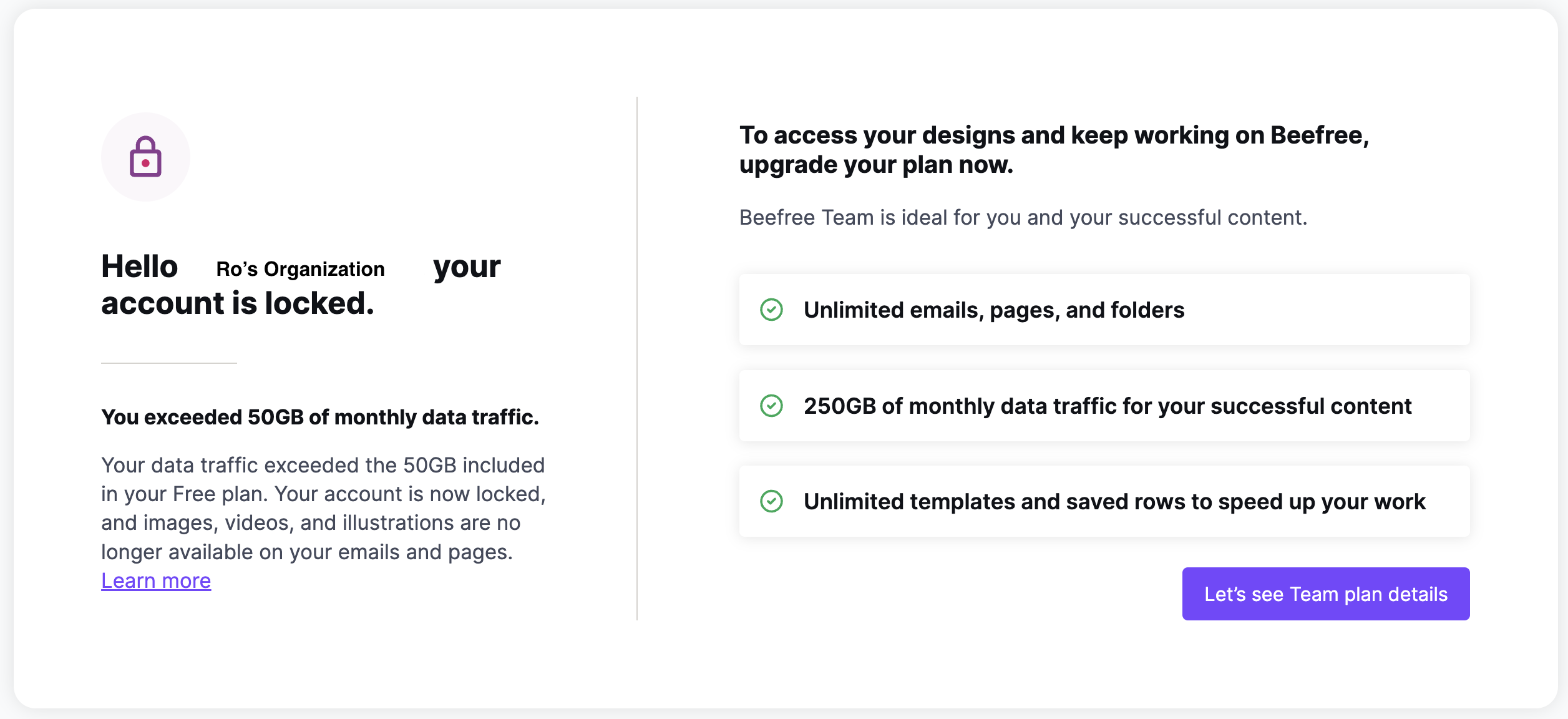
RGE Studio blocks your account to prevent further CDN data traffic. This affects your entire account, not just image and video loading. You can't load files, and you can't use the builder to keep designing emails or pages.
Your account stays blocked even after your CDN data traffic resets, until you upgrade.
How to unblock your account
To unblock your account, upgrade to the Professional plan for at least one month. This increases your CDN allowance to 250 GB per month. On paid plans, charges apply to CDN data transfer overages.
Tracking your CDN data traffic
If you're the account owner, check your CDN data traffic on the Subscription page.
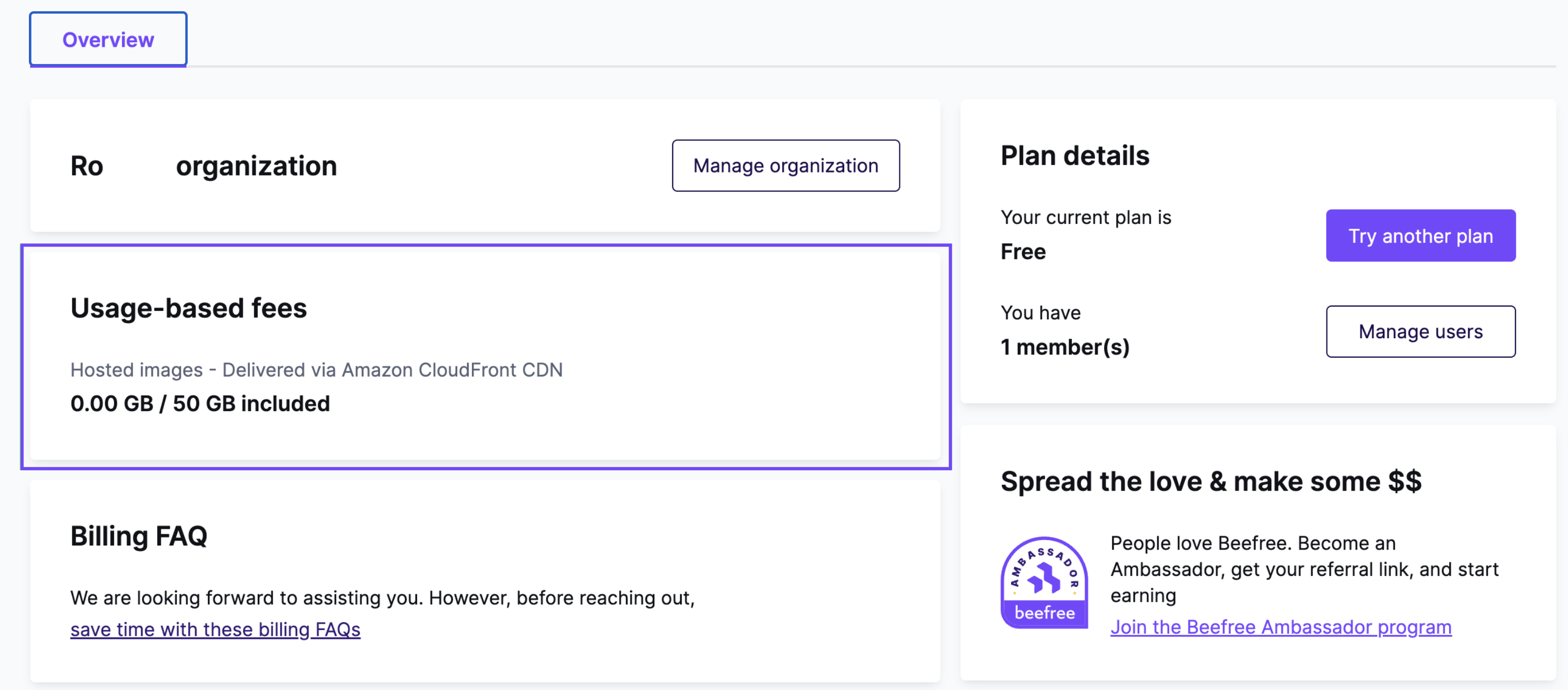
RGE Studio tracks Starter plan data traffic each month. Your allowance resets on the first of every month. RGE Studio notifies you in your account when you reach 25% and/or 100% of your monthly allowance.
Avoiding future overages
Want to lower your data transfer? This guide explains how to optimize your images for the web: https://kinsta.com/blog/optimize-images-for-web/.
To learn how CDN delivery works and how usage is calculated, see Hosted image delivery (CDN) in RGE Studio.
If you have any questions, feel free to contact us.
Comments
0 comments
Please sign in to leave a comment.