About Enterprise

Beefree App is now RGE Studio!
The email design suite you already know and love just leveled up. We’re working hard to update our help center, but you still may see some references to the old product name.
Overview
The RGE Studio Enterprise plan is for large businesses with complex email needs. This plan includes a dedicated Customer Success Manager, premium support, and access to Okta or SAML SSO. You can organize your daily work using multiple brands and customized configurations. If you’d like to learn more about Enterprise, talk to our Sales team.
Workspaces
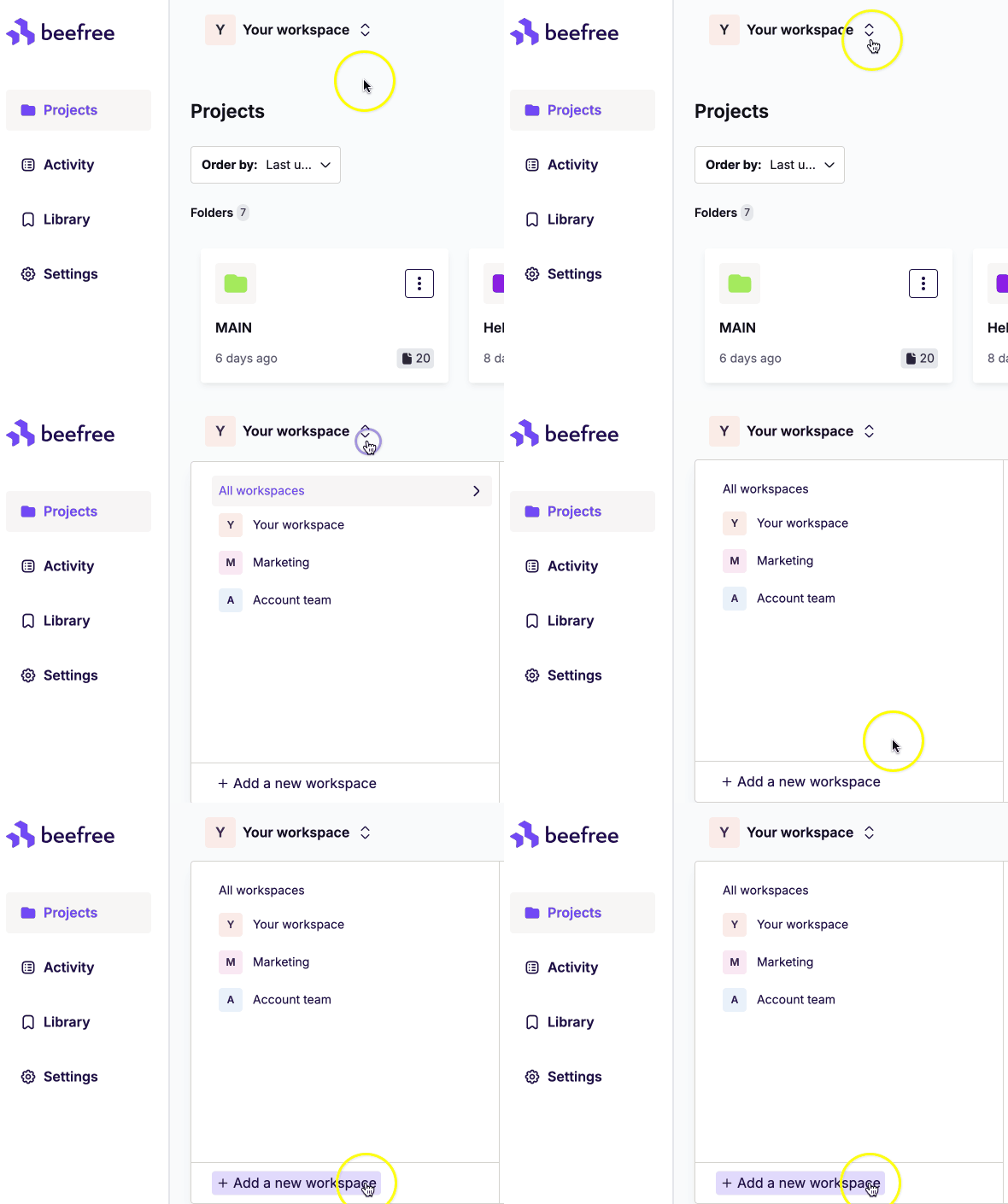
The Enterprise Plan unlocks dedicated workspaces. Each workspace is an independent design environment with its own settings, styles, and permissions. Use workspaces to manage multiple brands, clients, or projects with unique requirements.
CDN usage
Standard Enterprise plans include 2 TB of monthly image delivery data. For higher capacity, contact our Sales team to customize your plan. Learn how RGE Studio manages your hosted images and files in this article.
Smart Check
Smart Check is a built-in quality assurance tool. It scans your designs automatically for issues that could affect performance, accessibility, and the overall user experience. It performs different types of checks on your design automatically. Each check results in a Warning or a Suggestion. See all the features included here.
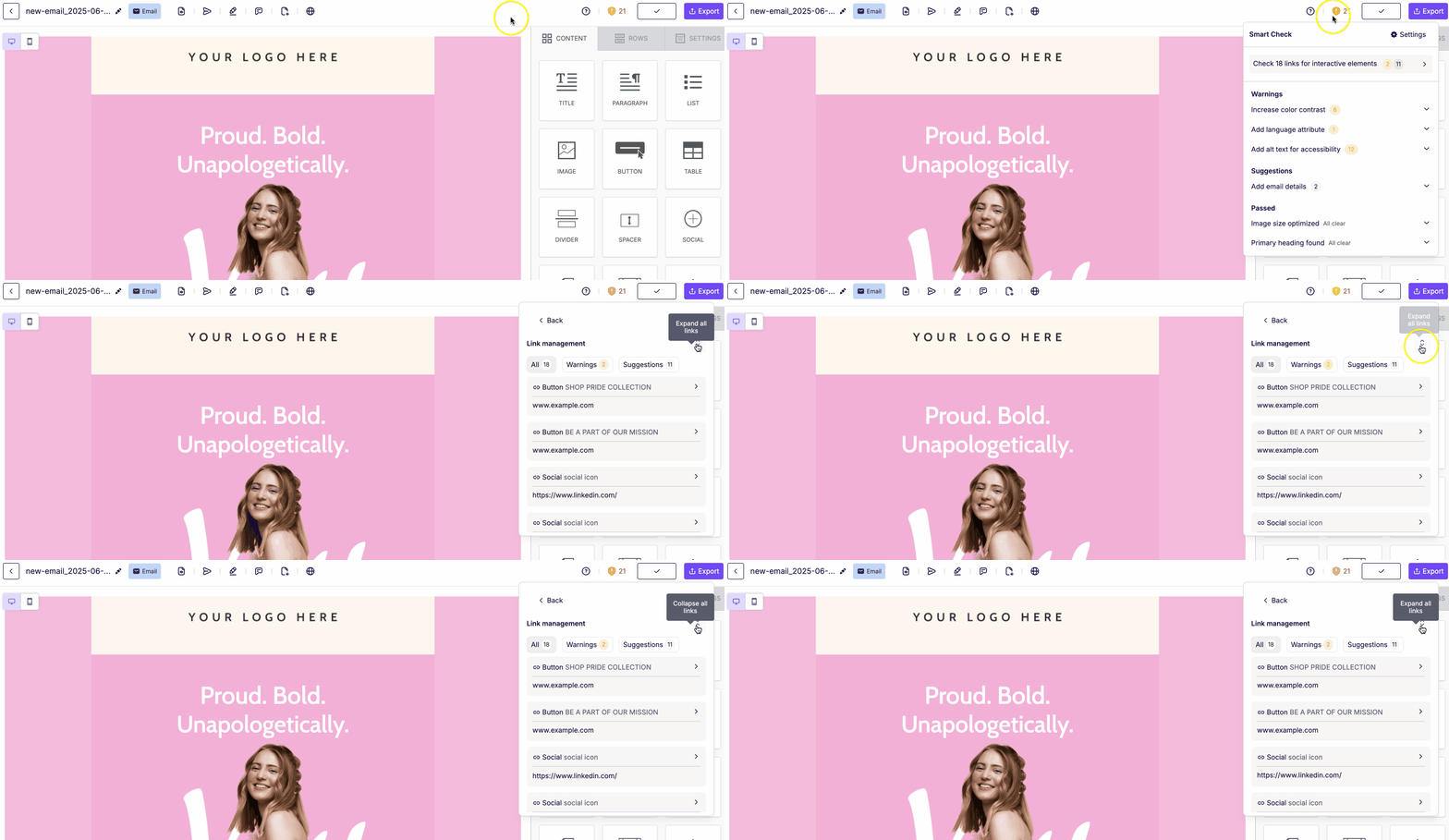
Note: Smart Check is currently available on select content blocks. See the full list here.
Multilingual Designs
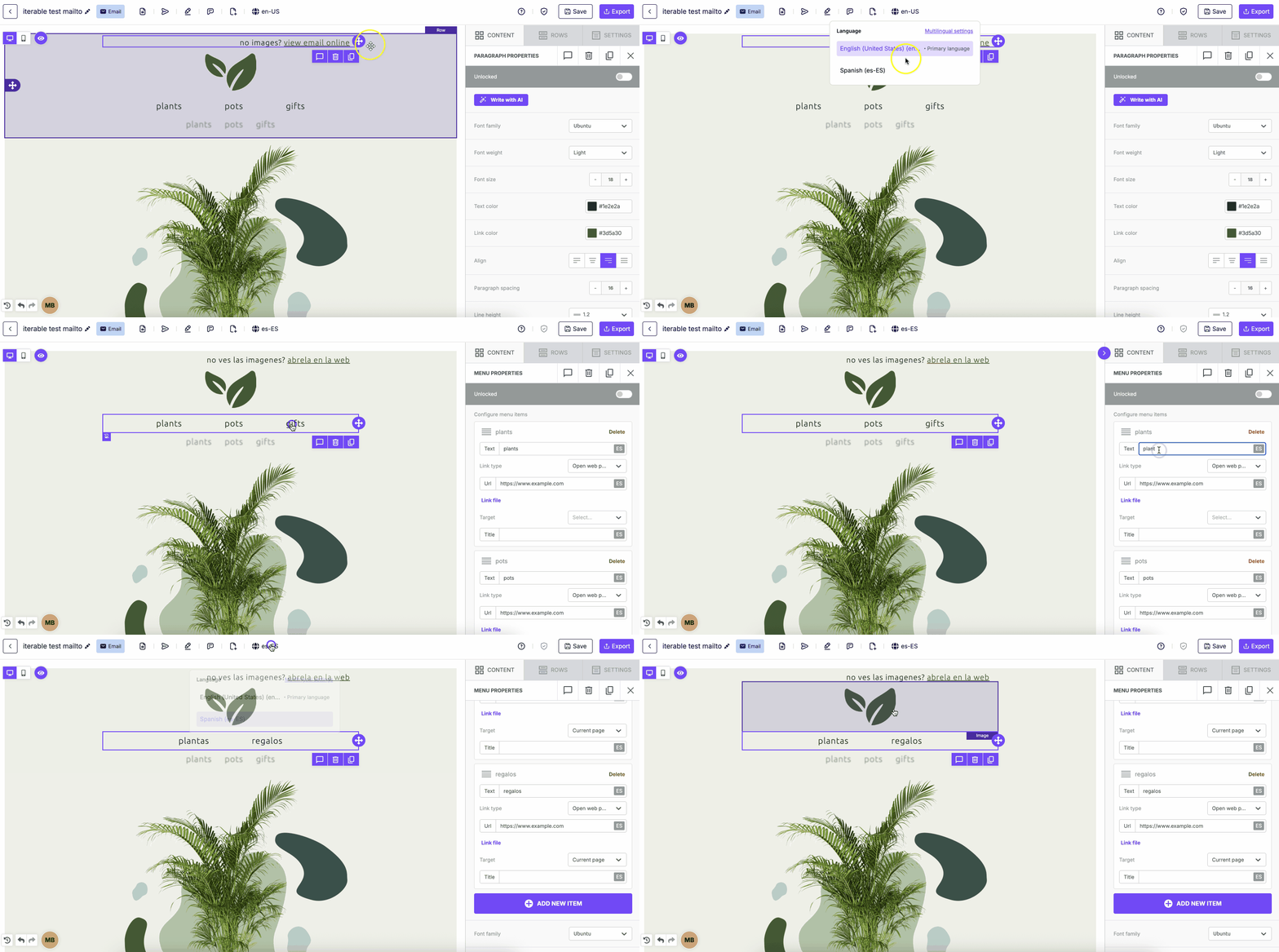
The Enterprise plan gives you access to Multilingual Designs. Manage up to twenty-five language versions within the same design: one default and 24 additional versions.
Co-editing
With this plan, you can collaborate with up to five others on the same design in real time. This makes it easy to work together and share feedback efficiently. Learn how to use it with your team on this page.
Custom domains
Add your custom domain to the URL of your landing pages hosted in RGE Studio. You can set a custom domain for each workspace. From your account's General Settings, follow the steps here to set it up.
Advanced user permissions
Advanced user permissions let you restrict users from creating new content and workspace styles. A user with these permissions enabled can only edit specific attributes of existing content. Owners, Admins, and Managers can enable and manage these permissions. Editors and Contributors then work within the boundaries you set. This lets you set guardrails for Editors and Contributors, keeping your brand consistent and your designs on track.
Custom Attributes
Custom Attributes let you add your own attributes directly in the HTML code of emails and landing pages. This makes it easy to pass data without changing your core HTML structure. Use them on buttons, images, GIFs, stickers, videos, links, and text like titles, lists, and paragraphs.
Custom Attributes work well for integrating with third-party platforms like CRMs and analytics tools. They help you track engagement and personalize content.
Owners, Admins, and Managers can create and manage attributes. Editors and Contributors can apply existing attributes within the builder. See examples in this article.
Advanced Style Kit
The Advanced Style Kit expands on the Workspace Styles feature. It lets you customize each content block and access more default settings, like background color and font. Use it to manage your brand styles at the most granular level.
Brand Kits
Brand Kits let Owners and Admins manage Saved Rows and styles from one central place. This keeps your brand consistent across every connected workspace. A single edit updates every linked workspace automatically. Only Owners and Admins can create, edit, or delete Brand Kits. Learn how to set up and manage Brand Kits here.
Approval workflow
The built-in approval workflow gives you quality control over your designs. Request multi-step reviews from multiple colleagues, leave feedback, and limit further edits once a design is approved. You can also enable or disable manual design statuses in your approval settings.
The Enterprise plan supports unlimited concurrent approval workflows.
Webhooks
Use Webhooks to send RGE Studio notifications to third-party apps like Slack, Teams, and Asana. Automate notifications for comments or design status changes to keep your team and connected tools up to date.
Premium support
With the Enterprise plan, you get premium support. This includes faster response times and a dedicated Customer Success Manager.
If you have any questions, feel free to contact us.
Comments
0 comments
Please sign in to leave a comment.