About Professional

Beefree App is now RGE Studio!
The email design suite you already know and love just leveled up. We’re working hard to update our help center, but you still may see some references to the old product name.
Overview
The Professional plan unlocks many new features in RGE Studio. Some of these options include:
- Unlimited project folders, pages, emails, and custom templates
- Managed styles and settings for one Workspace
- Access to user roles and permissions
- Up to 4 viewers
- Removal of the "Designed with RGE Studio" footer
- Unlimited saving and reuse of content blocks
- Unlimited access to restoring previous versions
- Landing page subdomain personalization
- Up to 250 GB of fast image delivery via CDN
- Exporting to PDF
- Custom merge tags and special links
To compare all RGE Studio plans, see our help center article.
User roles and permissions
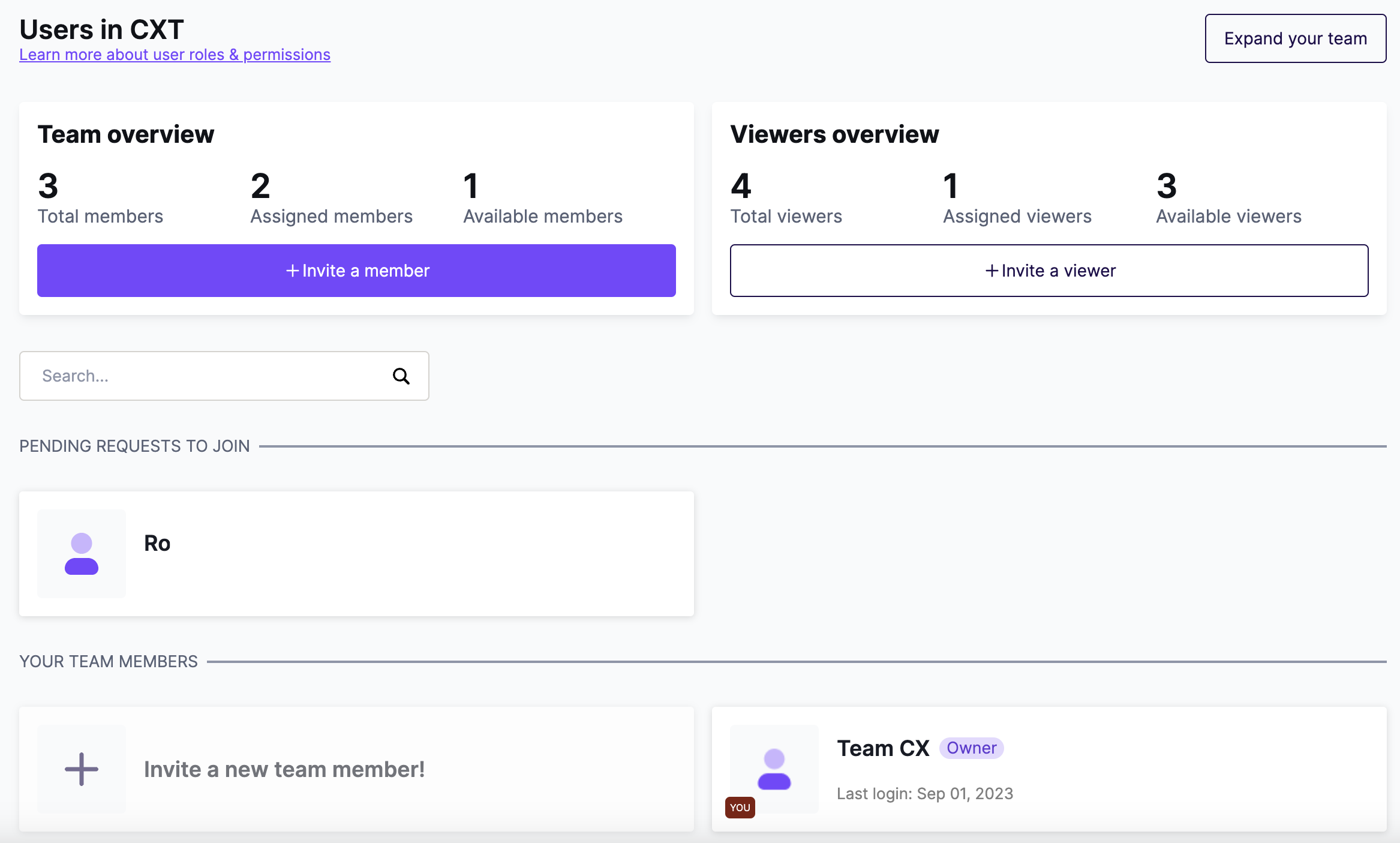
With Professional, you can control each user's access to your designs and account settings. Your plan includes 1 additional user (2 total) and up to 4 viewers. Viewers are a special role available on paid plans. They can view a design and leave comments. Editing is reserved for your users.
If you need more users than your plan includes, you can purchase additional users. To learn more, see our articles on user roles and permissions and purchasing additional users.
Unlimited assets
With the Starter plan, you can create:
- 10 page or email designs
- 3 custom templates
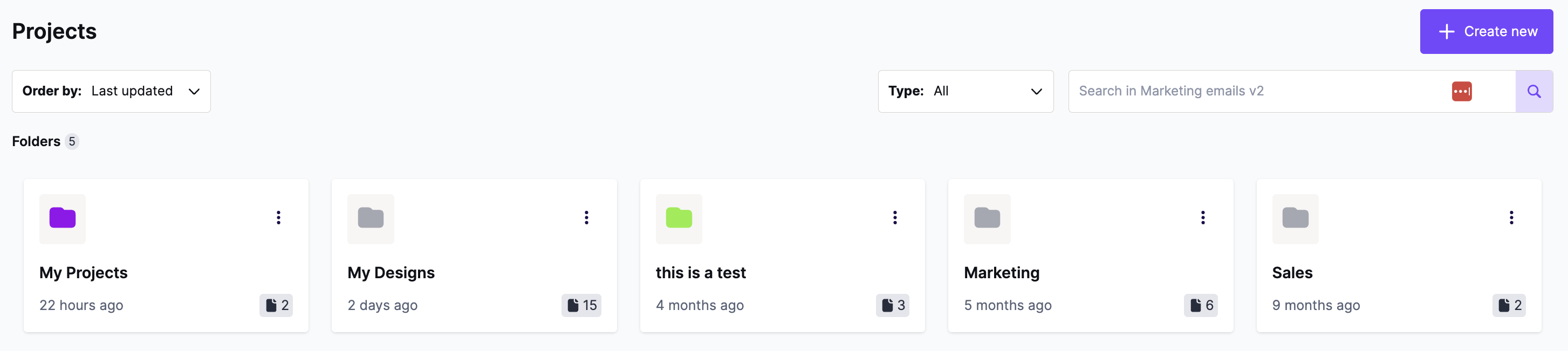
With Professional, these limits are removed. You can create as many assets as you like. Professional also adds project folders, so you can organize your designs. To learn more, see our article on managing project folders.
Workspace styles and Settings
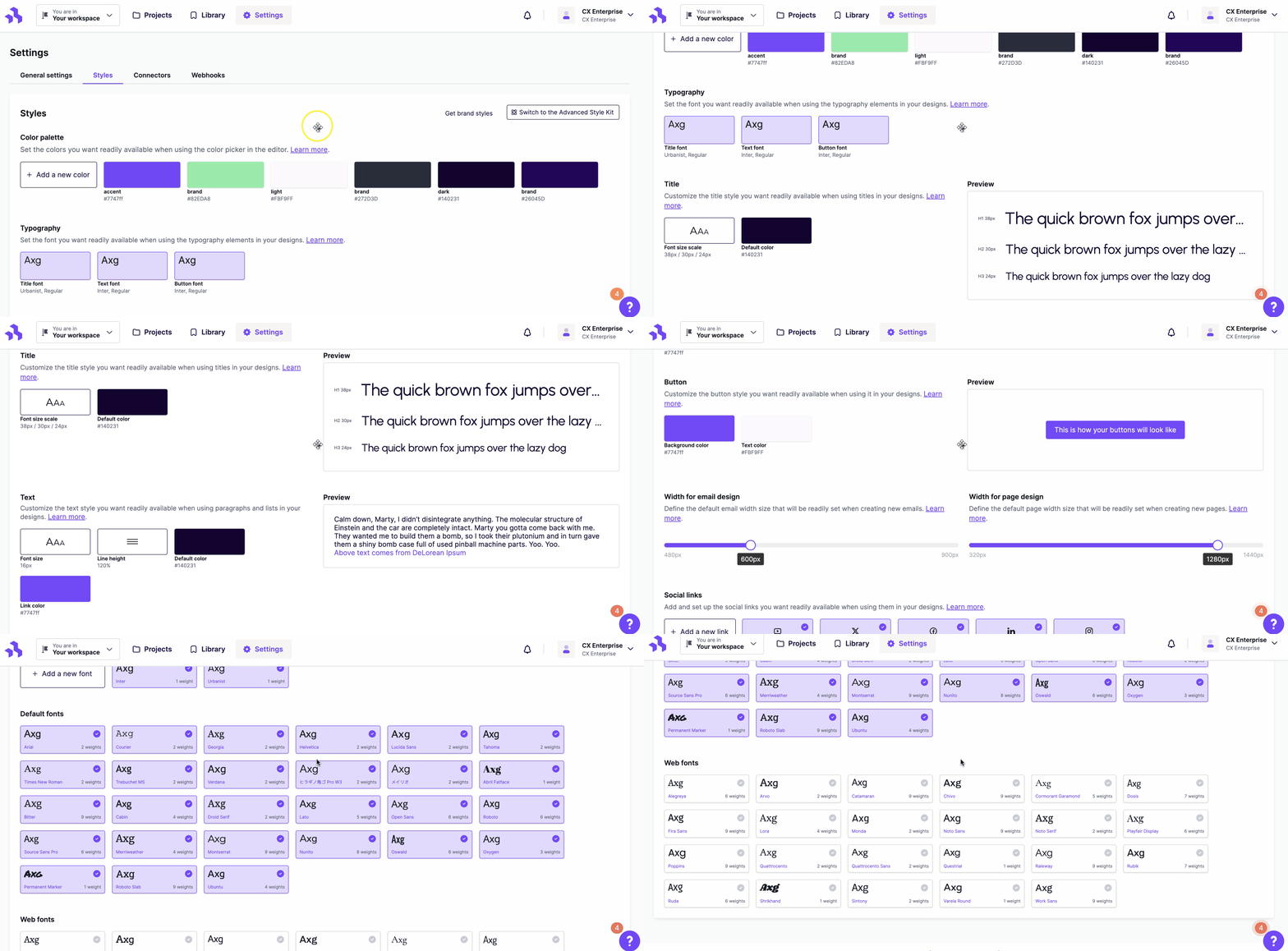
With the Starter plan, you can set a workspace color palette that applies across your designs. The Professional plan adds more workspace-level style options, including custom fonts. To learn more, see our article on Custom Workspace Styles.
Footer removal
With the Starter plan, all designs include a "Designed with RGE Studio" footer. When you upgrade to Professional, RGE Studio automatically removes this footer from future designs and templates. Professional also gives you access to content locking, so you can remove the footer manually from designs you already created. To learn more, see our article on the RGE Studio Footer.

Restore previous versions
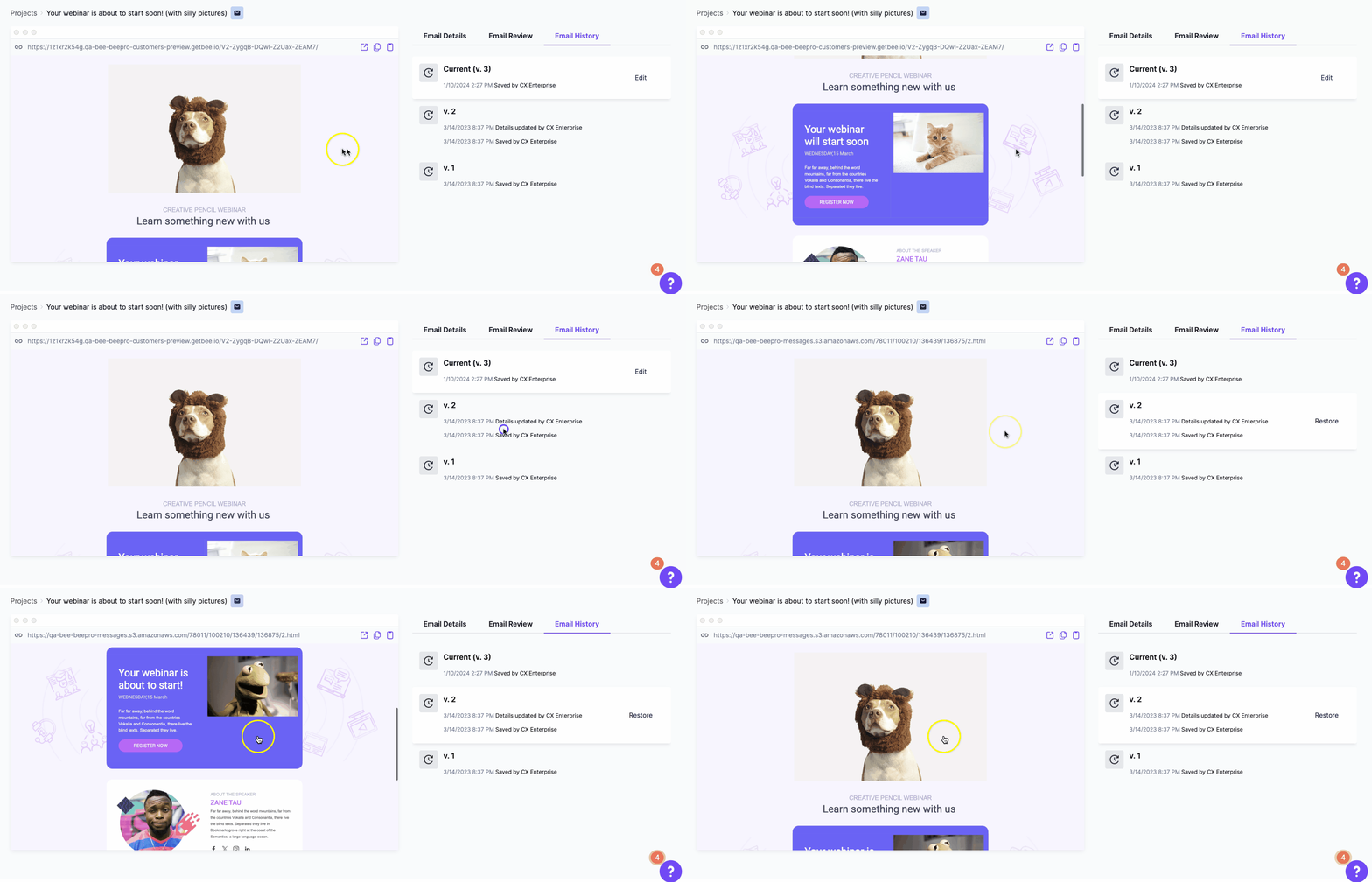
With the Starter plan, you can restore your most recent design version. With Professional, you can restore any version from your full design history. To learn more, see our article on restoring previous versions.
Fast image delivery via CDN
Sending emails and publishing pages uses bandwidth to deliver images and other files. RGE Studio provides this through a fast Content Delivery Network (CDN) on Amazon CloudFront, so you don't have to manage it yourself. Each plan includes a monthly bandwidth allowance at no extra charge. The Starter plan includes 20 GB per month. Professional increases this to 250 GB. If you go over your monthly limit, overage fees apply.
To learn more, see our article on Hosted image delivery (CDN) in RGE Studio.
Export to PDF
The Professional plan adds the option to export your designs to PDF, along with our standard export options. To learn more, see our article on exporting to PDF.
Custom merge tags and special links
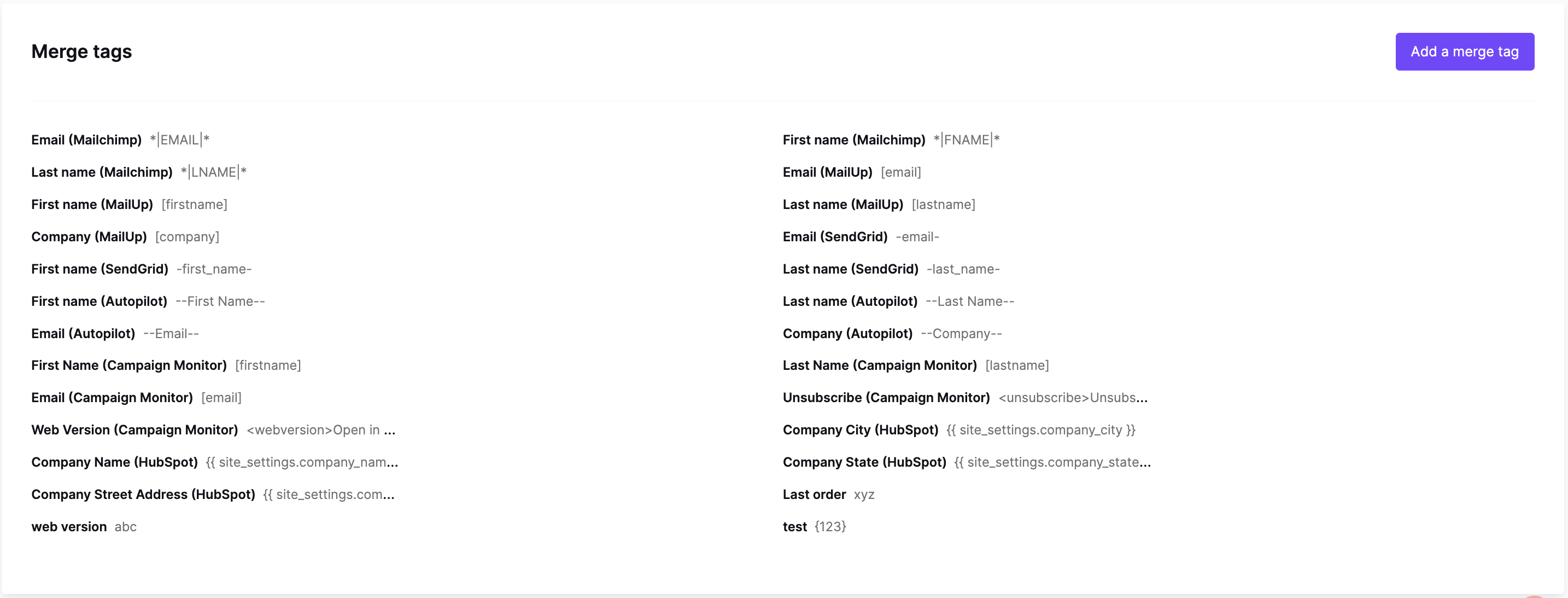
Merge tags and special links allow you to integrate code from third-party platforms such as Mailchimp and HubSpot into your RGE Studio design. Among other things, this allows you to create dynamic content that will change for each email recipient. With the Starter plan, we offer a library of well-known merge tags and special links. With Professional, you unlock the ability to create your own. This gives you the power to integrate RGE Studio with virtually any platform you have access to.
If you have any questions, feel free to contact us.
Comments
9 comments
Great new features, will rhey all work with Bee plugin too and can we use them with our existing subscription?
Hi Michael, you can certainly pass Merge Tags and Special Links to the Plugin when you initialize it.
With regard to "Projects" and the collaboration feature: no, they are outside of the editor, so they are not part of BEE Plugin. They are part of the application that "hosts" the Plugin, in this case BEE Pro Team.
That said, we are considering the idea of making the "Collaboration" tool an independent product that you can embed in your application, just like you have embedded the editor. Is that something that you would be interested in and willing to pay for? I'm referring to: https://support.beefree.io/hc/en-us/articles/360004495392-Collaboration-a-teamwork-tool-to-share-comment-and-approve-email-campaigns-templates
Hi Massimo, collaboration is not so much what we are looking for. More interesting without having seen it in detail are Projects and also the new features like special links (merge tags we already created ourselves), copy between projects (we would otherwise also implement it ourselves), and the context menu features like sending test mail etc. But we will stick to the plugin version in any case...
Hi Michael, for now we are staying away from providing the "pieces" around the embeddable version of the editor (e.g. template catalog as an add-on for BEE Plugin), but this might change down the road.
For now, the rationale for this decision is that each application handles those features differently under both a functional and "look & feel" point of view.
BeePro is still amazing, and we'll definitely be using it for a long time and hoping for more features. That said, I tried out the new Team plan for a short while and have to say I find it rather disappointing, especially for the price. It feels like what Freelancer should be as it's still focused on a single creator. The "collaborate" feature is more like a "view and comment" which is not my understanding of the definition of collaboration. On the surface the two main features (collab & merge tags) are exactly what I feel is missing from BeePro, but I find neither to be especially useful. The actual need for merge tags is to be able to put in a rendered value to be replaced in test emails and previews, as someone that builds emails and templates like this for a living, copy & pasting merge tags and such isn't really that much of a pain but previewing the actual merge tags leaves the final result still an unknown. For the collaboration portion, this should be collaborative work, not just commentary, more than one person being able to actually edit any template in a project they have access to. The tools you have built are very clean, pretty and easy to use, just not very useful yet.
Hi Thomas, thanks for the candid feedback on the current BEE Pro Team version.
The Collaboration tool right now is indeed used for the final review & approval step in the email production process, where the designer or marketing person asks the decision maker(s) to review/approve the email message and who don't necessarily collaborate or edit the actual message in the BEE editor. This is a feature that will be further developed in the future, especially after we introduce multi-user management (i.e. the ability to add users with their own BEE Pro log-in credentials) in the next few weeks.
So, stay tuned! And, hope that you'll revisit BEE Pro Team.
Hi there,
I recently added another user to my Freelancer plan. Disappointingly, that additional user is not able to connect to his own Gmail for pushing out templates, instead it's still pushing to my Gmail account. That defeats the purpose of having another user.
What is the situation like on a Team plan? Does the whole team still only connect to a single Gmail account, or can different users push to different Gmail accounts?
Hi Hedda, the only BEE Pro plan that allows you to have multiple, independent ESP connectors is the Agency version with the use of Brands. Each brand has its own ESP connector.
Thanks Sergio. That's too much of an upgrade.
Instead: How can I change the target of the connector in my existing account? I changed the email address in my account, but the connector keeps targeting the same old account - even after disabling and re-enabling.
Please sign in to leave a comment.