How do I delete my RGE Studio account?

Beefree App is now RGE Studio!
The email design suite you already know and love just leveled up. We’re working hard to update our help center, but you still may see some references to the old product name.
This article applies to all plans.
Overview
Whenever you cancel your RGE Studio account, it enters our automated deletion queue. Your account and data are then deleted automatically after some time.
Canceling your account
The account owner can cancel your RGE Studio account from the Subscription page. Look for Leave RGE Studio in the right-side panel.
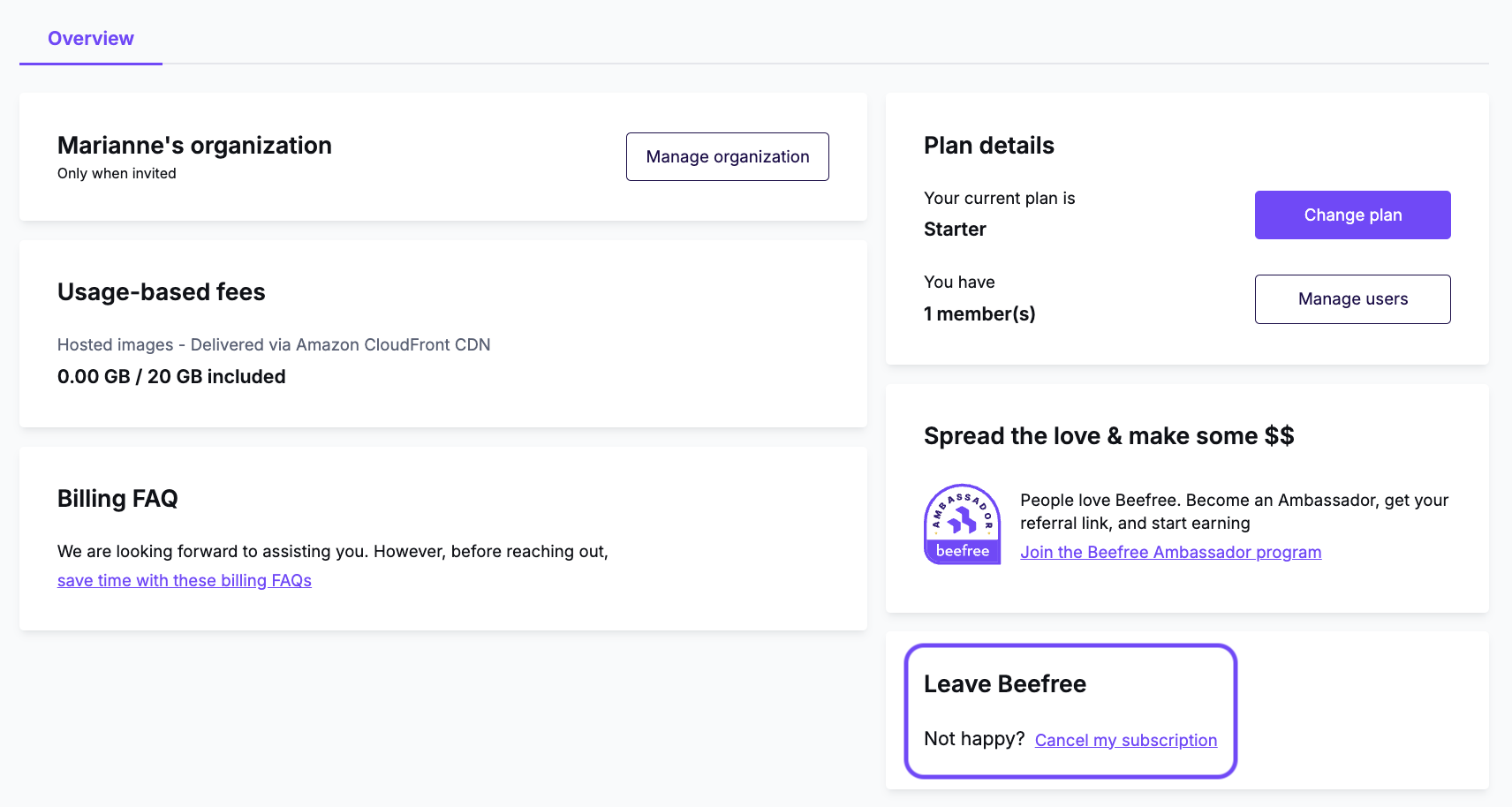
This screenshot shows the free Starter plan. The Overview page looks slightly different on paid plans. The Leave RGE Studio option appears in the right-side panel for every account.
For more on canceling and downgrading, see Managing your RGE Studio Subscription and What happens if I cancel my subscription?.
If you're on a free Starter plan, canceling ends your account after a few days. Your account is then queued for automatic deletion.
If you're on a paid plan, canceling schedules the cancellation for the end of your current billing period. All your data is deleted once the subscription ends.
To delete a paid account sooner, cancel your subscription first. Then contact our Support team with a support ticket.
Downgrade vs. cancellation
Deleted accounts cannot be restored. If you might return to RGE Studio later and want to keep your designs, downgrade your account instead of canceling it. Downgrading to the free Starter plan keeps your designs saved in your account.
GDPR deletion requests
To request full deletion of your account and personal data under GDPR, contact our Support team. Create a ticket through Contacting RGE Studio Support or email privacy@beefree.io.
We recommend canceling your account from the Subscription page first. Only the account owner can request account deletion.
For more information, see RGE Studio's GDPR Compliance.
Comments
0 comments
Please sign in to leave a comment.