How do I trial or purchase a RGE Studio plan?

Beefree App is now RGE Studio!
The email design suite you already know and love just leveled up. We’re working hard to update our help center, but you still may see some references to the old product name.
Overview
RGE Studio has four plans: Starter, Professional, Business, and Enterprise. There is a plan for everyone, from freelancers to large organizations. You can trial premium plans to find out if an upgrade is right for you.
Only account owners can sign up for a trial or upgrade their subscription. See User roles & permissions for details.
Trialing or upgrading your plan
If you're on the Starter plan, you can trial Professional or Business. You can start any trial without providing payment details. If you're on the Professional plan, you can trial Business at any time.
If you're on a Starter account, you may see a Try Professional for free button. It appears at the top of the page, to the left of the account dropdown. Click it to start a Professional trial instantly.
If you don't see this option, follow the instructions below. This also applies if you want to trial Business instead.
- Log in at https://reallygoodemails.com/app/login.
- Click the down arrow next to your name in the top-right corner. This opens the account menu.
- Click Subscription.
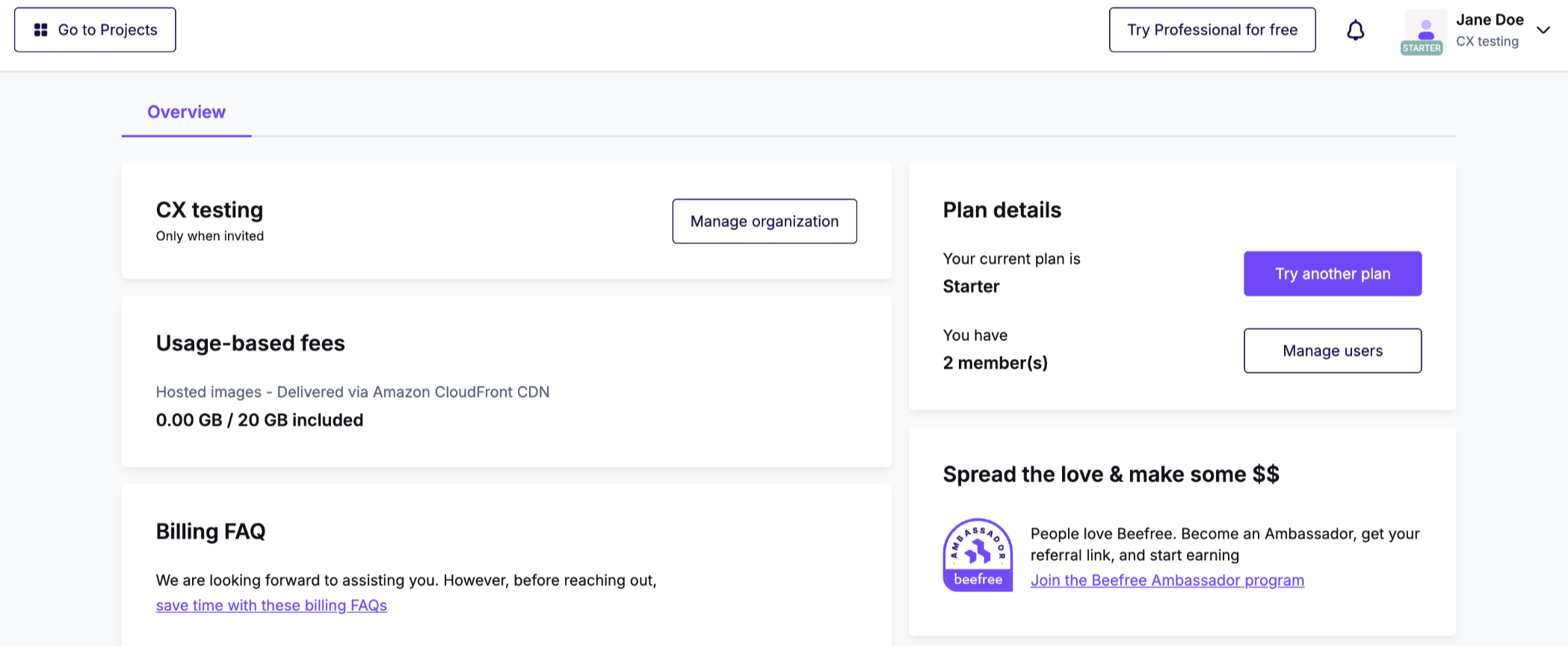
- Click Change plan.
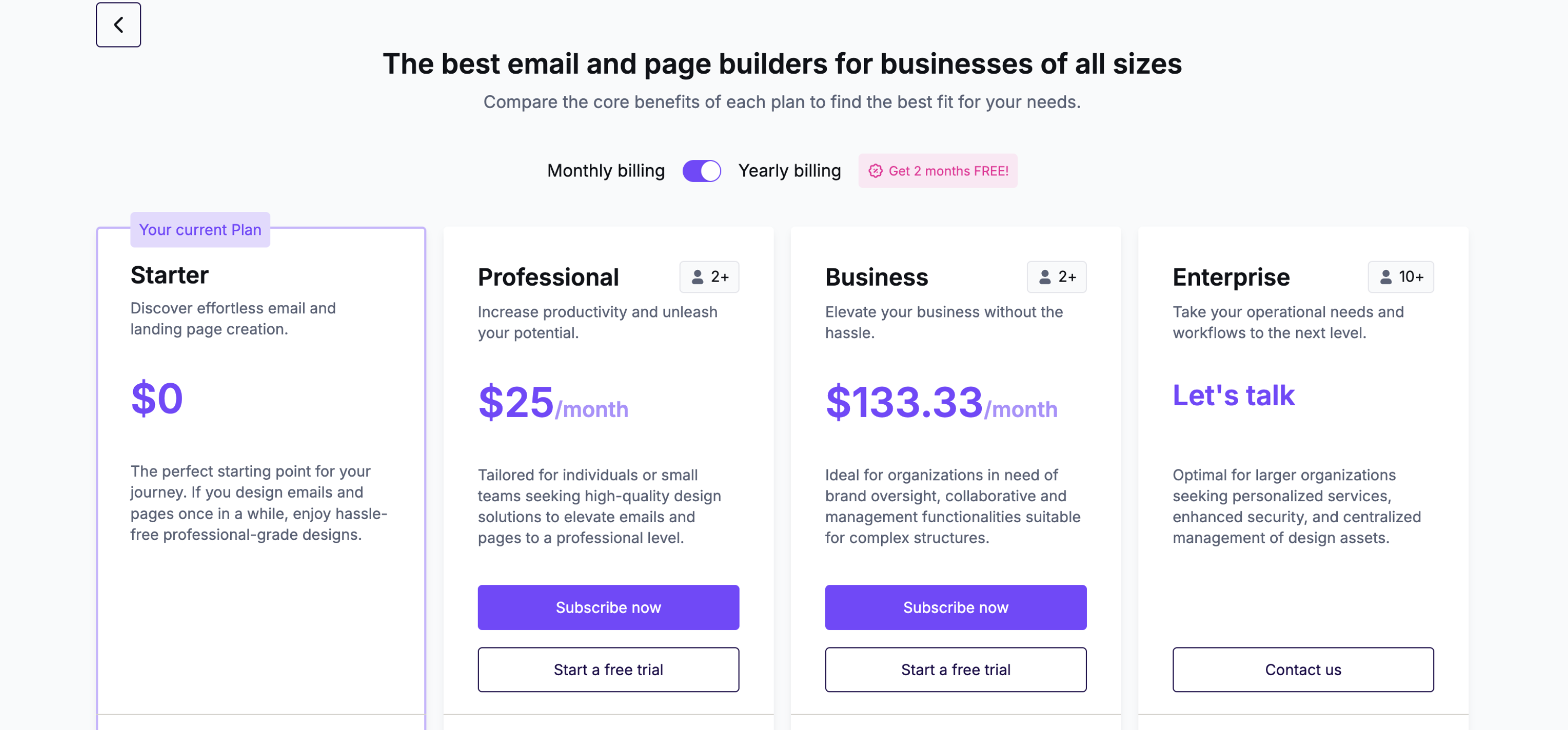
- Click Start a free trial or Subscribe now under your preferred plan.
- If you start a free trial, you'll return to the Subscription page automatically. A confirmation message appears in the lower right-hand corner.
- If you subscribe, you'll see a preview of your new plan. Add any additional users you need, then click Proceed to checkout. On the next page, enter your card and billing details if needed. Then confirm your purchase.
Trial considerations
- If you've already trialed a plan, you may not see these options. We occasionally reset trial eligibility, so the option may return if it's been a while.
- When your trial expires, you can upgrade or return to Starter. You can also upgrade before your trial ends if you prefer.
- Professional accounts trialing Business automatically revert to Professional when the trial ends.
- Enterprise trials are available. Contact our Sales team for details.
Billing & renewal considerations
- You'll need to enter payment details if none are on file.
- RGE Studio generates an invoice when a payment processes successfully. The invoice goes to the billing email address on file automatically. You can also find it in the Statements tab.
- RGE Studio also sends a payment confirmation email to the billing email address on file.
- Both Professional and Business subscriptions renew automatically. To prevent automatic renewal, you must downgrade or cancel before your renewal date.
If you have any questions, feel free to contact us.
Comments
0 comments
Please sign in to leave a comment.